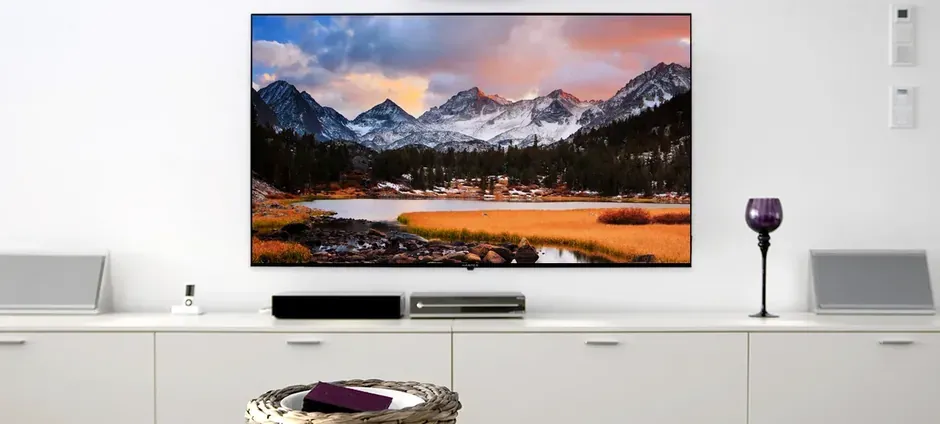
You’re ready to mount your new TV, you grab your stud finder, and then comes the dreaded discovery: metal studs. Your heart sinks because you’ve heard they can’t support heavy TVs. You imagine your expensive television crashing to the floor.
Here’s the truth: Metal studs can absolutely support a wall-mounted TV-you just need the right technique.
Metal (steel) studs are standard in most Atlanta high-rise condos, apartments, newer office conversions, and commercial-to-residential buildings. They’re lighter, straighter, and more fire-resistant than wood. They’re also hollow, thin-walled, and can’t hold lag bolts like wood studs.
This guide covers everything you need to know about successfully mounting a TV on metal studs-from understanding why they’re different to choosing the right hardware to step-by-step installation.
Why Metal Studs Are Different (and Challenging)
Wood Studs vs. Metal Studs
| Property | Wood Studs | Metal Studs |
|---|---|---|
| Material | Solid lumber (1.5” x 3.5”) | Hollow steel channel (25-20 gauge) |
| Lag bolt compatible | Yes | No |
| Screw holding power | Excellent | Poor (screws strip easily) |
| Standard thickness | 1.5 inches solid | 0.02-0.04 inches of steel |
| Best anchor type | Lag bolts directly into wood | Toggle bolts through steel |
The Problem with Standard Mounting Methods
When you drive a lag bolt into wood, the threads grip the wood fibers and create strong holding power. When you drive a screw into a metal stud:
- The thin steel has minimal thread engagement
- The hole quickly becomes oversized
- The screw strips out under load
- Your TV is at risk of falling
This is why lag bolts and standard screws don’t work on metal studs.
Where You’ll Find Metal Studs in Atlanta
High-rise condos and apartments:
- Most Atlanta mid-rise and high-rise buildings post-1980
- Buckhead, Midtown, and Downtown towers
- Newer construction throughout metro Atlanta
Commercial-to-residential conversions:
- Loft conversions in Castleberry Hill, Old Fourth Ward, Inman Park
- Former warehouse and office buildings
Newer townhomes and homes:
- Some builders use metal studs for interior non-load-bearing walls
- Fire-rated walls between units
- Garage-to-living-space walls
Identifying Metal Studs
Before you plan your mounting strategy, confirm you’re dealing with metal studs:
Stud Finder Method
Electronic stud finders can usually differentiate between metal and wood:
- Metal studs often show as narrower readings
- “Deep scan” modes may behave differently
- Some stud finders have specific metal stud settings
Magnetic stud finders are useful because:
- They detect the steel directly (not just fasteners)
- They’ll find studs even without drywall screws in the immediate area
- They indicate the stud runs the full height
Visual and Physical Clues
Building type:
- High-rise = almost certainly metal studs
- Modern apartment = likely metal studs
- Pre-1970 residential = likely wood studs
Stud spacing:
- Metal studs are commonly 16” or 24” on center
- Very consistent spacing (unlike sometimes-irregular wood framing)
Sound test:
- Tapping on metal stud areas sounds slightly different
- Can sometimes hear hollow metallic resonance
Verification Method
The drill test (carefully):
- Drill a small pilot hole in an inconspicuous spot
- If you hit metal after ½” of drywall, you have metal studs
- Drill will feel sudden resistance, then break through steel
- Steel shavings confirm metal stud construction
Hardware Options for Metal Stud Mounting
The Gold Standard: Snap Toggle Bolts
What they are: Toggle bolts with a metal channel that snaps behind drywall and metal stud
Brand names: TOGGLER SnapToggle, Hillman Snap Toggle, similar designs
How they work:
- Drill appropriately sized hole through drywall and metal stud
- Insert the metal channel through the hole
- Pull tight against back of wall while snapping off excess strap
- Insert bolt through mounting bracket into the channel
- Channel spreads load across large area behind wall
Why they work for metal studs:
- Channel grips both the back of the drywall AND the metal stud
- Load distributed across 3+ inches of contact area
- Bolt threads into metal channel, not the stud itself
- Pull-out strength: 265-300 lbs per toggle in metal studs
Sizes to use:
- 1/4” SnapToggles: Most common for TV mounting
- 3/16” SnapToggles: Lighter loads, smaller holes
- 5/16” or 3/8” SnapToggles: Heavy-duty applications
Heavy-Duty Toggle Wings
What they are: Traditional spring-loaded toggle wings that fold to pass through hole
How they work:
- Drill hole large enough for folded wings
- Insert bolt through bracket first
- Thread toggle wings onto bolt
- Push folded wings through hole
- Wings spring open behind wall
- Tighten bolt to draw wings against wall back
Considerations:
- Require larger holes (5/8” to 7/8” typically)
- Wings can spin inside wall (frustrating during installation)
- Good holding power when properly installed
- If bolt is removed, wings fall inside wall (not reusable)
Metal Stud-Specific Toggles
What they are: Toggles designed specifically for steel stud applications
Examples: ZIP Toggle, FlipToggle, WingIts
Advantages:
- Optimized for metal stud geometry
- Some grip the stud flanges specifically
- Often easier to install than traditional toggles
What NOT to Use
Standard drywall anchors:
- Plastic expansion anchors fail completely
- Rely on gripping drywall alone
- Cannot handle TV mounting loads
Self-drilling drywall anchors:
- Same problem-grip drywall, not structure
- Will pull out under TV weight
Regular screws into metal studs:
- Threads strip immediately
- No long-term holding power
- Never use for TV mounting
Lag bolts:
- Designed for wood only
- Cannot thread into steel
- Will not hold in metal studs
Step-by-Step: Mounting on Metal Studs with SnapToggles
What You’ll Need
Tools:
- Stud finder (magnetic or electronic)
- Level (24” or longer)
- Drill with variable speed
- 1/2” drill bit (for 1/4” SnapToggles) or size per toggle specs
- Phillips or hex driver
- Tape measure
- Pencil
Hardware:
- SnapToggles (1/4” typically, quantity based on mount design)
- TV mounting bracket rated for your TV weight
- Bolts included with toggles (or appropriate length replacements)
Step 1: Locate Metal Studs
- Use magnetic stud finder to locate first stud
- Mark stud location at mounting height
- Move 16” or 24” to find next stud
- Confirm both studs with multiple passes
- Mark vertical stud centerlines
Step 2: Position and Mark Bracket
- Hold bracket against wall at desired height
- Use level to ensure bracket is perfectly level
- Mark all mounting hole locations
- Prioritize holes that align with studs
Important: Metal stud mounting is most secure when toggle bolts pass through the stud web (the flat part facing you). Aim for stud centers.
Step 3: Drill Holes
- Use correct diameter bit for your toggles (check package)
- Drill straight into wall at each marked location
- You’ll feel resistance when hitting the steel
- Continue drilling through the stud (drill will punch through)
- Clean out holes of debris
Tip: For metal studs, a sharp bit makes a cleaner hole. Replace dull bits before starting.
Step 4: Install SnapToggles
- Hold SnapToggle channel with straps attached
- Insert channel through hole until flanges are past wall back
- Pull straps toward you until channel seats against wall back
- While maintaining tension, slide plastic cap along straps until flush with wall
- Snap off straps at the wall surface
- Channel is now anchored behind wall
Repeat for all mounting points.
Step 5: Attach Bracket
- Align bracket with installed toggle channels
- Insert bolts through bracket holes into toggle channels
- Hand-tighten all bolts first
- Use driver to fully tighten each bolt
- Check bracket for any movement or play
Step 6: Mount TV
- Attach mounting arms to TV back (if not already attached)
- Lift TV and engage with wall bracket
- Ensure all hooks and locking mechanisms engage
- Tighten any safety screws
- Test stability
Load Capacity Considerations
Calculating Total Load
Your TV weight: Check manufacturer specifications
Add mount weight: Typically 5-15 lbs for standard mounts
Add safety factor: Multiply by 1.5 for static loads
Example calculation:
- 65” TV: 50 lbs
- Mounting bracket: 10 lbs
- Total: 60 lbs
- With safety factor: 90 lbs required capacity
Toggle Capacity Planning
Each 1/4” SnapToggle holds approximately 265-300 lbs in metal studs.
For most TV installations:
- 4 toggles provides 1,000+ lbs theoretical capacity
- This gives roughly 16x safety factor for a 60 lb TV
- More than adequate for any consumer TV
When to add more toggles:
- Extra-large TVs (85”+)
- Full-motion mounts with extended reach
- Particularly heavy bracket systems
- Peace of mind
Full-Motion Mount Considerations
Full-motion (articulating) mounts create leverage forces that multiply effective load:
- Mounting point sees more force when TV is extended
- Recommend maximum number of toggles bracket allows
- Consider heavy-duty toggles for large TVs
- Don’t extend mount to maximum reach routinely
Common Metal Stud Mounting Mistakes
Mistake #1: Using Too Few Toggles
Problem: Using 2 toggles for a large TV
Result: Each toggle bears excessive load, increased failure risk
Solution: Use all available mounting holes-4 minimum, 6+ for large TVs
Mistake #2: Drilling Between Studs
Problem: Assuming toggles work equally well in drywall alone
Result: Reduced holding power, drywall stress
Solution: Always route at least some toggles through studs when possible
Mistake #3: Wrong Toggle Size
Problem: Using lightweight toggles for heavy application
Result: Insufficient holding power
Solution: Match toggle rating to load requirements with safety margin
Mistake #4: Not Drilling Through Stud
Problem: Stopping when drill hits steel
Result: Toggle can’t seat properly behind wall
Solution: Continue drilling through the steel web
Mistake #5: Over-Tightening
Problem: Cranking bolts too tight
Result: Toggle channel deforms or drywall crushes
Solution: Tighten until snug; stop when bracket is firm
Alternative Approaches
Plywood Backer Installation
For maximum security or very heavy installations:
- Cut plywood panel sized for TV footprint
- Attach plywood to multiple metal studs using toggles
- Mount TV bracket to plywood using standard lag bolts
- Plywood can be painted or covered with fabric
Advantages:
- Creates wood mounting surface for standard hardware
- Distributes load across large area
- Maximum security for any TV size
Disadvantages:
- More complex installation
- Visible panel unless concealed
- Additional cost and labor
Through-Wall Mounting
In some situations:
- Access the other side of the wall
- Use through-bolts with backing plates
- Create extremely secure attachment
Best for:
- Commercial applications
- Access from adjacent room possible
- Maximum security requirements
When to Call a Professional
Metal stud mounting is achievable as a DIY project, but consider professional installation if:
- You’re uncomfortable with the process: No shame in recognizing limits
- Large TV (75”+): Higher stakes, heavier weight
- Full-motion mount on extended wall: Maximum leverage forces
- Multiple toggle points didn’t hit studs: May need alternative approach
- Stud spacing doesn’t match bracket: Requires creative solutions
- You want guarantee and insurance: Professional installation includes backing
Professional Metal Stud Mounting Services
At Express Mounting, we handle metal stud installations throughout Atlanta’s high-rise buildings every day:
✅ Proper toggle selection for your specific TV and mount
✅ Correct technique that maximizes holding power
✅ Structural assessment confirming stud locations
✅ Professional tools including magnetic stud finders and sharp bits
✅ Insurance coverage protecting your investment
✅ Satisfaction guarantee on all installations
Metal Stud TV Mounting
Starting at $199
- Complete installation on metal stud walls
- Premium toggle hardware included
- Any TV up to 85”
- Cable management options available
Frequently Asked Questions
Can metal studs really hold a TV?
Yes, absolutely. With proper toggle bolt installation, metal studs can easily support TVs up to 85” and beyond. The key is using the right hardware and technique.
How many toggles do I need for metal stud mounting?
Minimum 4 for most installations. We recommend using every available mounting hole in your bracket, typically 4-8 toggles depending on bracket design.
What size toggle bolts for TV mounting?
1/4” SnapToggles or equivalent are standard for most TV installations. For extra-large or heavy TVs, consider 5/16” or 3/8” toggles.
Can I use a full-motion mount on metal studs?
Yes, but use maximum number of toggles and be aware that extended positions create additional leverage. Avoid leaving the mount fully extended for long periods.
Will my stud finder work on metal studs?
Most electronic stud finders work, though results vary. Magnetic stud finders work excellently on metal studs since they detect the steel directly.
What if the toggles don’t hit studs at all?
Toggles can work in drywall alone (without studs) but with reduced capacity. For TV mounting, we strongly recommend routing through at least one stud web for maximum security.
Ready for Your High-Rise TV Installation?
Don’t let metal studs stop you from enjoying a wall-mounted TV. Whether you tackle this DIY or call in professionals, metal stud mounting is a solved problem with the right approach.
👉 Visit ExpressMounting.com to schedule professional TV mounting in your Atlanta high-rise, condo, or apartment.
📍 Express Mounting - Atlanta’s experts for metal stud TV mounting in high-rise condos and modern construction.