Universal Remotes - Simplify Your Entertainment Control

Nothing ruins a great TV setup like juggling four remotes. We see this constantly - beautiful mounted TV, great sound system, multiple streaming devices, and a coffee table full of remotes that confuse everyone in the household. Universal remotes solve this by consolidating control into one device that handles your TV, soundbar, streaming box, and other components. The best options today offer programmable activities ('Watch TV' turns everything on and sets inputs), voice control integration, and smartphone apps for when the remote inevitably falls between cushions. A quality universal remote transforms a complex system into something anyone can use.
Universal Remotes - Simplify Your Entertainment Control

🎛️ Smart Universal Remotes - Full Control

Smart universal remotes go beyond basic device control - they offer activity-based programming, smartphone apps, voice assistant integration, and control of hundreds of devices. These are the successors to the beloved Logitech Harmony remotes (now discontinued). Modern options from SofaBaton and others fill this gap with similar functionality. Worth the investment for complex home theaters or households where multiple people need simple control over complicated systems.

Picture Product Device Limit Key Features Best For Shop
SofaBaton X1S SofaBaton X1S 60 devices Hub included, Alexa/Google, App setup, Activities Harmony replacement Buy on Amazon
SofaBaton U2 SofaBaton U2 15 devices No hub needed, Backlit, Macro support Simple setups Buy on Amazon
Logitech Harmony Logitech Harmony (Legacy) Varies Discontinued but still works, Activity-based Existing Harmony users Buy on Amazon
Broadlink RM4 Pro Broadlink RM4 Pro Unlimited Smart home hub, Phone control, Automation Smart home integration Buy on Amazon

💡 Smart Remote Benefits: One-button activities (Watch TV, Watch Movie, etc.) • Smartphone app backup • Voice assistant integration • Controls IR, Bluetooth, and WiFi devices • Macro programming

Browse All: Smart Universal Remotes on Amazon

📱 Simple Universal Remotes - Easy Setup

Not everyone needs complex programming - sometimes you just want one remote that controls your TV and soundbar without apps or hubs. Simple universal remotes use built-in code databases to control common devices. Setup typically involves entering codes or using auto-search functions. These work great for straightforward setups: TV + soundbar, or TV + cable box. They're affordable, use standard batteries, and don't require internet connectivity or smartphone apps.

Picture Product Devices Key Features Shop
GE Universal Remote GE 4-Device Universal 4 devices Simple code setup, Backlit, Budget-friendly Buy on Amazon
RCA Universal Remote RCA 4-Device Universal 4 devices Auto code search, Extensive database Buy on Amazon
One For All Remote One For All Universal 4-8 devices Quality build, Learning function, Multiple models Buy on Amazon

💡 Simple Remote Tips: Write down working codes for future reference • Keep original remotes for troubleshooting • Check code compatibility before purchasing

Browse All: Basic Universal Remotes on Amazon

🗣️ Voice Control Integration

Voice control is increasingly becoming the ultimate universal remote. If you have Alexa, Google Assistant, or Siri devices, you may already have powerful entertainment control at your fingertips. Many TVs, soundbars, and streaming devices support voice assistants directly, and hubs like Amazon Echo can control IR devices with compatible accessories.

Voice Control Options:

Assistant Native Device Control IR Control Option Best Features
Alexa Fire TV, many smart TVs Echo + Broadlink or SofaBaton "Alexa, watch Netflix on living room TV"
Google Chromecast, Google TV Google Home + Broadlink "Hey Google, turn on the TV"
Siri Apple TV, HomeKit devices HomeKit-enabled hubs "Hey Siri, play something on Apple TV"

Voice Control Accessories:

Picture Product Works With Shop
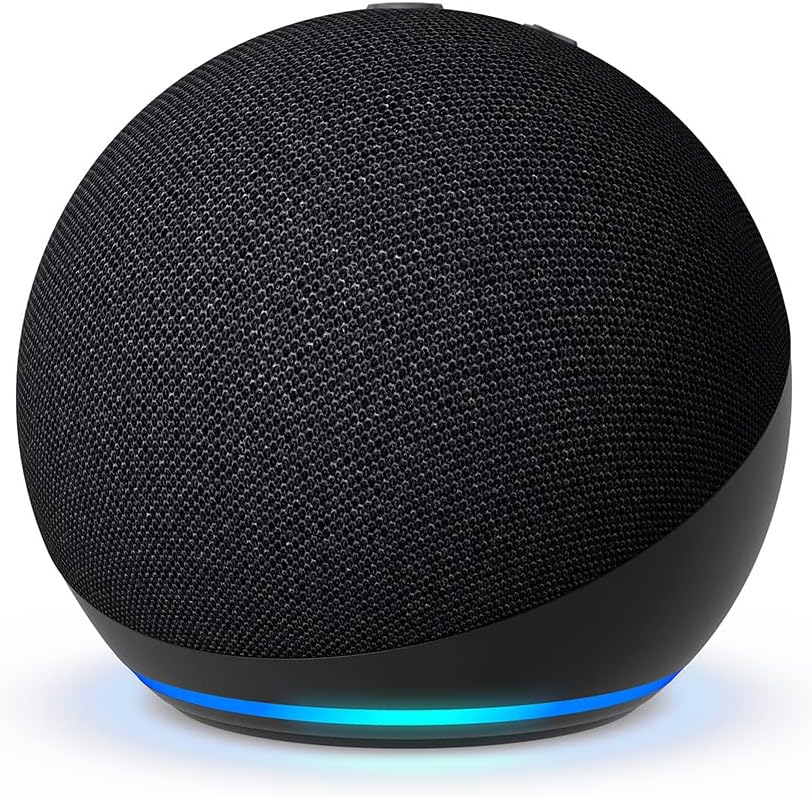
Echo Dot Amazon Echo Dot Fire TV, Alexa-compatible devices Buy on Amazon
Google Nest Mini Google Nest Mini Chromecast, Google Assistant devices Buy on Amazon
HomePod Mini Apple HomePod Mini Apple TV, HomeKit devices Buy on Amazon

Browse All: Voice Control for TV on Amazon

❓ Frequently Asked Questions - Universal Remotes

What happened to Logitech Harmony remotes?

Logitech discontinued the Harmony line in 2021, but existing remotes and the cloud service still work. If you have a working Harmony, keep using it - they're excellent remotes. For new purchases, SofaBaton is the closest successor, offering similar activity-based programming, hub options for controlling devices in cabinets, and smartphone app setup. The SofaBaton X1S is essentially the new Harmony equivalent with modern features. Broadlink RM4 Pro is another option that integrates well with smart home systems. The universal remote market has evolved, with many households now relying on voice assistants or streaming device remotes that control TVs via HDMI-CEC.

Can one remote control all my devices?

Usually yes, with the right remote. Smart universal remotes like SofaBaton X1S can control IR devices (most TVs, soundbars, cable boxes), Bluetooth devices, and WiFi devices through their hubs. The key limitation is line-of-sight for IR - devices in closed cabinets need IR blasters or hubs with IR output. Most streaming devices can be controlled via the TV's HDMI-CEC, so you might only need to program the TV remote to also control your Fire Stick or Roku. For truly complete control, hub-based systems with multiple IR blasters provide the most flexibility.

Why won't my universal remote control my streaming device?

Most streaming devices (Roku, Fire TV, Apple TV) use Bluetooth or WiFi for remote control, not IR. Basic universal remotes only transmit IR signals, so they can't directly control these devices. Solutions include: using the streaming device's original remote alongside your universal remote, choosing a smart universal remote that supports Bluetooth (limited options), or using HDMI-CEC so your TV remote controls the streaming device. HDMI-CEC is often the simplest solution - enable it in both your TV and streaming device settings, and TV volume/power buttons should work with the streaming device.

What's HDMI-CEC and why does it matter?

HDMI-CEC (Consumer Electronics Control) lets devices connected via HDMI communicate and control each other. When enabled, your TV remote can control your streaming device, your soundbar can turn on when the TV does, and your streaming device can switch TV inputs automatically. Different brands use different names: Samsung calls it Anynet+, LG calls it SimpLink, Sony calls it Bravia Sync. Enable CEC in your TV settings and connected device settings to reduce remote clutter significantly. Many households find CEC eliminates the need for a universal remote entirely - the TV remote controls everything through CEC passthrough.

Find Your Universal Remote Solution

Simplify your home theater with one remote that controls everything. Browse our recommended universal remotes for any setup complexity.

Shop Universal Remotes
  • Phone: (470) 888-0030
  • Service Area: Atlanta Metro & North Georgia
  • Hours: Monday-Sunday 9:00 AM - 6:00 PM
  • Experience: 7,300+ TVs Successfully Mounted

Same-Day Service Available | Free Estimates | 100% Satisfaction Guarantee