Wall Mounts for the Samsung OLED 4K S95C 77-inch
VESA 400 × 400 mm · 62.2 lb · 2023 QD-OLED 2nd gen
The Samsung OLED 4K S95C 77-inch (QN77S95CAFXZA) uses a VESA 400 × 400 mm mounting pattern and weighs about 62.2 lb without its stand. Any wall mount that supports 400 × 400 mm, is rated above 62.2 lb and covers 77-inch screens will fit it.
Mounting specification
| VESA pattern | 400 × 400 mm |
| Panel weight | 62.2 lb (without stand) |
| Screen dimensions | about 67" wide × 38" tall |
| US model number | QN77S95CAFXZA |
| Year | 2023 · Premium · QD-OLED 2nd gen |
| Proprietary mount | Optional — Samsung Slim Fit Wall Mount (e.g., WMN-B50EB) |
Its 400 × 400 mm pattern is a standard VESA size, so any mount listing that spacing within its supported range will bolt straight on. At 62.2 lb this is a heavy panel. Check the mount's rating rather than assuming, because plenty of brackets advertised for 77-inch screens are rated below this weight, and never hang it on drywall anchors alone.
This is an OLED panel, which matters when you handle it. OLED sets are unusually thin and light for their size — 62.2 lb across 67 inches — but that thinness means the panel flexes, and flexing an OLED is how they crack. Carry and lift it vertically, never flat, and never rest it face-down on an uneven surface while you attach the brackets.
Where the bolts land relative to your studs
At 15.7 inches across, this pattern sits almost exactly on 16-inch stud centres, so the mount's arms and your framing line up naturally. It is the easiest case there is.
Specification sourced from the manufacturer listing and cross-checked against published panel data . Measure your own mounting holes before buying if you want certainty for your exact unit.
Mounts that fit the S95C 77"
Every one of these is rated for a 400 × 400 mm pattern, a 62.2 lb panel and a 77-inch screen. Checked against the manufacturer's own listing figures.

Cheapest option that genuinely fits
USX MOUNT Tilting TV Wall Mount for Most 37"-95" Flat Curved Screen Television
For the S95C 77"
Covers almost every mainstream TV up to 95 inches and stays low-profile against the wall.
- Fits 37–95" screens
- Rated to 132 lb — your panel is about 62 lb
- Supports VESA up to 600 × 400 mm
$20.99
See it on Amazon
What we would hang on this wall
Mounting Dream Fixed TV Wall Mount
For the S95C 77"
Flush fixed plate that spans up to 32-inch stud spacing — useful when your studs are not where you want the TV.
- Fits 42–90" screens
- Rated to 132 lb — your panel is about 62 lb
- Supports VESA up to 800 × 400 mm
$39.99
See it on Amazon
Most capable, if the budget allows
monTEK Fireplace Pull Down TV Mount for 43-86 Inch TVs Up to 99lbs
For the S95C 77"
Takes a larger 86-inch panel than most pull-downs and has a levelling adjustment at the bracket.
- Fits 43–86" screens
- Rated to 99 lb — your panel is about 62 lb
- Supports VESA up to 600 × 400 mm
$199.99
See it on AmazonPrices checked Jul 25, 2026 and may change. As an Amazon Associate, Express Mounting earns from qualifying purchases.
How high to mount it
Put the centre of the screen at seated eye level — about 42 inches from the floor for a normal sofa. On a 77-inch panel that puts the bottom edge at roughly 23 inches and the top at roughly 61 inches, or 5' 1" in feet and inches.
A 77-inch panel is tall enough that the bottom edge lands around 23 inches, close to the height of a typical media console. Check the clearance over whatever sits underneath before marking the wall — a couple of inches of overlap looks like a mistake even when the height is technically right. It also wants a viewing distance of roughly 8.6 feet for balanced viewing, so check that against where your seating actually is.
If a console or a mantel forces it higher, mount as low as the obstruction allows and use a tilting mount to angle the screen back toward you. The height calculator works out the exact number for your seating position, and the fireplace planner handles the above-the-mantel case including heat clearance.
If you need to tilt it
Mounting above eye level — over a fireplace, a dresser or a tall console — means the screen should angle down toward you. These tilt mounts are rated for the S95C's pattern and weight.
Cheapest option that genuinely fits
USX MOUNT Tilting TV Wall Mount for Most 37"-95" Flat Curved Screen Television
Tilt for a 62.2 lb panel
Covers almost every mainstream TV up to 95 inches and stays low-profile against the wall.
- Fits 37–95" screens
- Rated to 132 lb — your panel is about 62 lb
- Supports VESA up to 600 × 400 mm
$20.99
See it on Amazon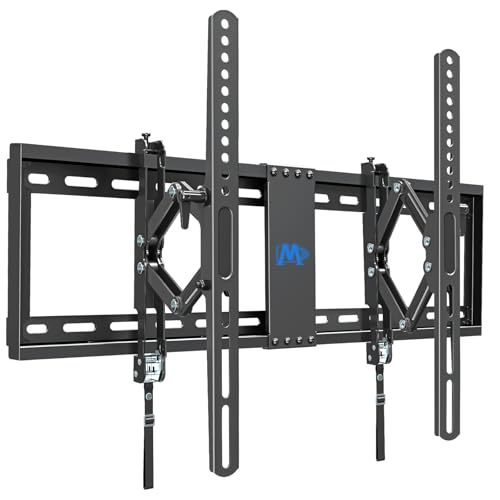
What we would hang on this wall
Mounting Dream UL Listed Advanced Tilt TV Wall Mount for Most 42-90 Inch TV
Tilt for a 62.2 lb panel
Advanced tilt: pulls 7 inches off the wall before it angles down, so you can reach the ports and get a real viewing angle from a high or above-fireplace position.
- Fits 42–90" screens
- Rated to 120 lb — your panel is about 62 lb
- Supports VESA up to 600 × 400 mm
$49.99
See it on Amazon
Most capable, if the budget allows
VIVO Pro Heavy-Duty Premium Tilting TV Wall Mount for Flat and Curved…
Tilt for a 62.2 lb panel
176 lb rating and an 800 x 400 pattern — the safe answer for a heavy 85-inch panel going above a fireplace.
- Fits 43–95" screens
- Rated to 176 lb — your panel is about 62 lb
- Supports VESA up to 800 × 400 mm
$94.99
See it on AmazonPrices checked Jul 25, 2026 and may change. As an Amazon Associate, Express Mounting earns from qualifying purchases.
If it needs to swivel
Corner installations, open-plan rooms and kitchens usually want an articulating arm. Bear in mind that a full-motion mount applies far more leverage to the wall than a fixed plate does, so at 62.2 lb these want solid framing rather than anchors.

Cheapest option that genuinely fits
Mounting Dream UL Listed TV Wall Mount for Most 42-90 Inch TV
Articulating, rated to 62.2+ lb
Mounting Dream's large-TV articulating arm — consistent hardware and a genuinely usable install manual.
- Fits 42–90" screens
- Rated to 100 lb — your panel is about 62 lb
- Supports VESA up to 600 × 400 mm
$53.99
See it on Amazon
What we would hang on this wall
Perlegear UL Listed Full Motion TV Wall Mount for 42-90" TVs up to 132lbs
Articulating, rated to 62.2+ lb
Dual arms, tool-free tilt and swivel, UL-listed to 132 lb — the value pick we actually carry.
- Fits 42–90" screens
- Rated to 132 lb — your panel is about 62 lb
- Supports VESA up to 600 × 400 mm
$54.97
See it on Amazon
Most capable, if the budget allows
PERLESMITH Long Arm TV Wall Mount for 42-90 inch TVs
Articulating, rated to 62.2+ lb
Nearly 43 inches of reach at 150 lb. When the TV has to come out around a corner or across a room, this is the one that gets there.
- Fits 42–90" screens
- Rated to 150 lb — your panel is about 62 lb
- Supports VESA up to 800 × 400 mm
$119.99
See it on AmazonPrices checked Jul 25, 2026 and may change. As an Amazon Associate, Express Mounting earns from qualifying purchases.
What else the job needs
The two things that stall a Samsung install most often are hardware and cable length. Box hardware does not always include the right bolt for a specific panel, and the HDMI cable that reached the old stand rarely reaches once the TV is on the wall.
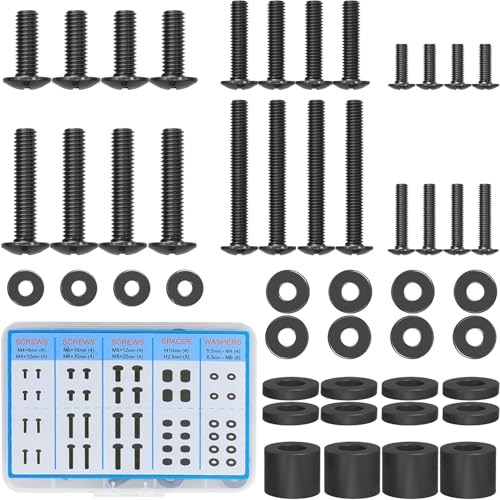
MOUNTUP Universal TV Mounting Hardware Screw Kit with Box
M4 to M8 bolts, spacers and washers. Solves the single most common install stall: the box hardware does not fit your TV.
$6.99 — View →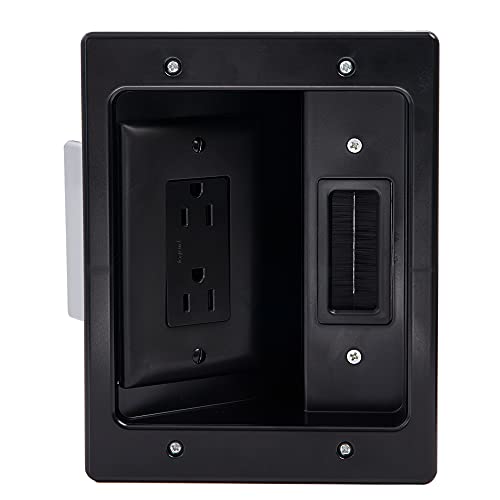
Legrand
Legrand's UL-listed power bridge is the code-correct way to get an outlet behind the TV without running an extension cord inside the wall.
$34.99 — View →
UGREEN 8K HDMI 2.1 Cable 48Gbps 10FT, Certified Ultra High Speed HDMI Cord
The default length for a wall-mounted TV with the gear in a cabinet underneath.
$16.99 — View →
Klein Tools 935R Level
The level that lives in the toolbag. Magnetic, so it sits on the bracket hands-free.
$19.98 — View →Other sizes of the S95C
The S95C does not use one pattern across the range: your 77-inch is 400 × 400 mm, while the 55-inch is 400 × 300, the 65-inch is 400 × 300. A mount will not simply transfer between sizes in this range — check the specific size you own.
Other TVs with the same 400 × 400 pattern
These take the same mounts, which is useful if you are buying one bracket for a house with several TVs.
- Samsung OLED 4K S95D 77" — 62.2 lb
- Samsung OLED 4K S95F 77" — 62.2 lb
- Hisense ULED U6K U6K 75" — 60.6 lb
- Hisense ULED U7K U7K 75" — 62.4 lb
- Hisense ULED U6N U6N 75" — 60.6 lb
- Hisense ULED U7N U7N 75" — 60.2 lb
Frequently asked questions
What VESA size is the Samsung OLED 4K S95C 77-inch?
The Samsung OLED 4K S95C 77-inch uses a VESA 400 × 400 mm mounting pattern — that is 400 mm horizontally and 400 mm vertically between the four threaded holes on the back of the panel. Its 400 × 400 mm pattern is a standard VESA size, so any mount listing that spacing within its supported range will bolt straight on.
How much does the Samsung OLED 4K S95C 77-inch weigh?
Without its stand, the Samsung OLED 4K S95C 77-inch weighs about 62.2 lb. That is the figure that matters for mounting, because wall mount weight ratings are for the panel alone. At 62.2 lb this is a heavy panel. Check the mount's rating rather than assuming, because plenty of brackets advertised for 77-inch screens are rated below this weight, and never hang it on drywall anchors alone.
How high should I mount a Samsung OLED 4K S95C 77-inch?
Put the centre of the screen at your seated eye level — about 42 inches from the floor for a standard sofa. On a 77-inch panel that puts the bottom edge around 23 inches from the floor and the top around 61 inches. If it is going above a fireplace or a console that forces it higher, mount as low as the obstruction allows and use a tilting mount to angle the screen back down.
What size mount do I need for the Samsung OLED 4K S95C 77-inch?
You need a mount that supports a VESA pattern of at least 400 × 400 mm, is rated above 62.2 lb, and lists 77 inches inside its supported screen-size range. All three have to be true — a bracket that covers the size range but is rated below the weight is the most common mismatch we see.
Does the Samsung OLED 4K S95C 77-inch need its own Samsung mount?
It has an optional proprietary bracket (Samsung Slim Fit Wall Mount (e.g., WMN-B50EB)), but the panel still has the standard VESA 400 × 400 mm holes, so an ordinary aftermarket mount fits it too. The proprietary option usually buys a slimmer gap between the screen and the wall; an aftermarket mount usually buys tilt or full motion the original does not offer.
Will a 400 × 400 mount reach my studs?
At 15.7 inches across, this pattern sits almost exactly on 16-inch stud centres, so the mount's arms and your framing line up naturally. It is the easiest case there is. The one thing still worth checking is the width of the mount's own wall plate, since that, not the VESA pattern, is what has to reach framing.
Can the Samsung OLED 4K S95C 77-inch be mounted on drywall without studs?
We would not. At 62.2 lb this panel belongs on framing. Hollow-wall anchors are rated for static load in ideal conditions, and a wall mount applies leverage rather than a static pull — particularly an articulating one. Find the studs, or on masonry use sleeve anchors into the brick body.
Want us to mount your S95C?
We carry brackets for this pattern and install across Metro Atlanta, Miami and Los Angeles — mount supplied on request, cables hidden, flat-rate pricing from $149.
Get a free estimate →