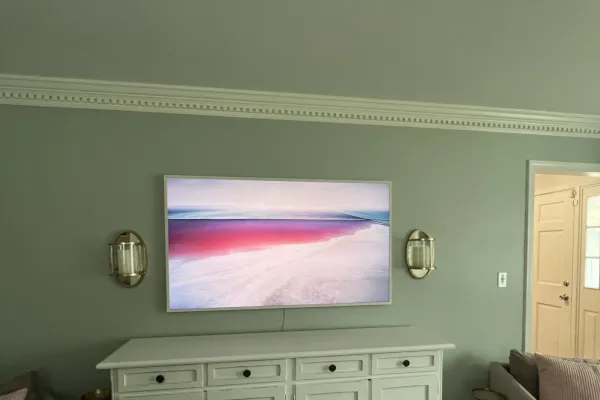
Hang it on the Slim Fit Wall Mount that ships in the box (Samsung lists it on the 2021, 2024 and 2025 Frame spec sheets), fastened into studs on a flat wall. That keeps the 1-inch-deep panel snug. A standard VESA bracket also fits, 200×200 to 600×400 by size, but adds its own depth.
Quick note: This page contains Amazon affiliate links. We may earn a small commission at no extra cost to you if you buy through them.
The Frame only passes for a picture if three things go right on install day: the panel sits tight to the wall, the cable doesn’t show, and the art hangs at a height that still works when you switch to a movie. Samsung solves the first one in the box. The other two are decisions you make before the first hole goes in.
The numbers below come from Samsung’s own spec sheets for the 2021, 2024 and 2025 Frames and the 2025 Frame Pro. The install rules are the same ones in the rest of our guides. If you’re in Metro Atlanta and would rather hand the job off, our Atlanta Frame installation page covers the local service.
What wall mount comes with a Samsung Frame TV?
A Slim Fit Wall Mount. Samsung lists it under the included accessories on every Frame spec sheet we checked, right next to the One Connect Box. You’ll also see it called a no-gap mount, which describes the job it does: the panel is about an inch deep, and this bracket lets it hang almost flat instead of floating out on a standard mount.
| Frame model | Sizes on the sheet | In the box (mount and connection) | VESA pattern by size | Weight without stand |
|---|---|---|---|---|
| 2021 The Frame (LS03A) | 43, 50, 55, 65, 75” | Slim Fit Wall Mount, One Connect Box | 200×200 (43-55”), 400×300 (65”), 400×400 (75”) | 18.7 to 76.9 lb |
| 2024 The Frame (LS03D) | 43, 50, 55, 65, 75, 85” | Slim Fit Wall Mount, One Connect Box, power cable | 200×200 (43-55”), 400×300 (65”), 400×400 (75”), 600×400 (85”) | 19 to 98.1 lb |
| 2025 The Frame (LS03FAF) | 43, 50, 55, 65” | Slim Fit Wall Mount, wired One Connect Box, power cable | 200×200 (43-55”), 400×300 (65”) | 19 to 48.7 lb |
| 2025 The Frame Pro (LS03FWF) | 65, 75, 85” | Slim Fit Wall Mount, Wireless One Connect Box, power cable | 400×300 (65”), 400×400 (75”), 600×400 (85”) | 48.2 to 90 lb |
Own a 2022 or 2023 Frame, or one of the 2026 models (LS03H and the Frame Pro LS03HW) that were just reaching samsung.com in September 2026? Check the accessories list in your manual, and look up the pattern and weight on our Samsung The Frame page. Current sizes have their own pages too, for example the 2025 Frame in 55 inches.
Bought a used or open-box Frame without its bracket? Order the replacement Samsung lists for your exact model code, which is printed on the label on the back of the panel. Samsung sells Slim Fit mounts for its other TV lines as well, and one made for a different line isn’t guaranteed to fit a Frame.
Can you use a regular VESA wall mount on The Frame?
Yes. Every sheet in the table lists VESA support, from 200×200 on the 43 to 55 inch sets up to 600×400 on the 85-inch models, so any bracket that covers your pattern and weight will hold it. What you give up is the flush look. The TV now sits out by the depth of the bracket. Low-profile fixed brackets start at about an inch (the SANUS low-profile fixed mount lists a 1-inch profile for 40-80 inch TVs), and many fixed mounts run past two inches.
A standard bracket is still the better choice in three cases:
- You want tilt or swivel. A bedroom Frame watched from the bed, a corner install or a Frame high over a mantel may need to angle down. The Slim Fit mount holds the panel flat against the wall.
- The wall isn’t flat. Samsung’s own footnote says a small gap can appear with the Slim Fit mount “if wall is not 100% flat or is constructed off-angle to the floor.” Old plaster, a bowed stud bay or a stone surround can all do that.
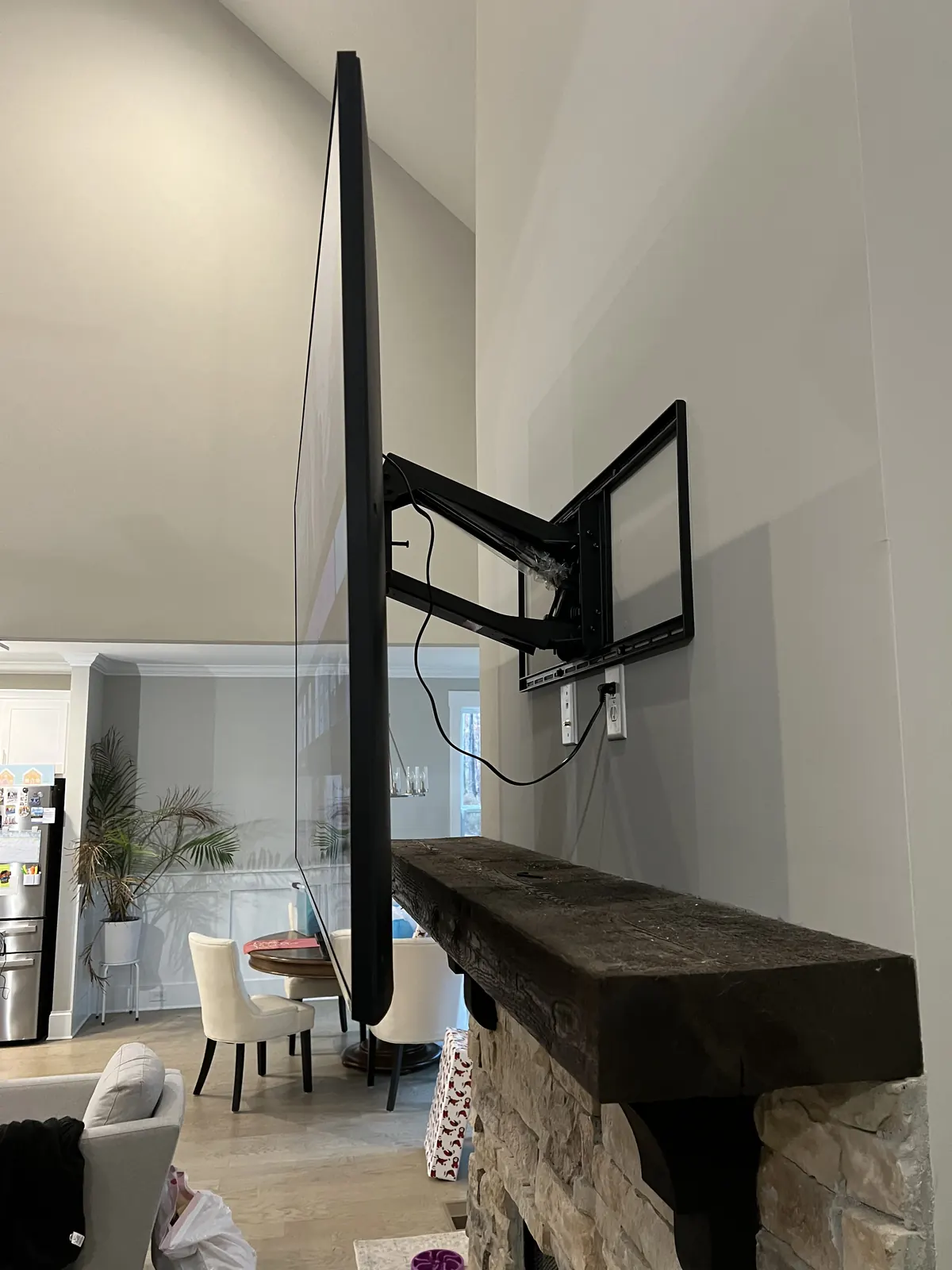
- You’re adding a pull-down mount over a tall fireplace. Pull-downs attach to the VESA holes, so the Slim Fit bracket stays in the box.
Size the bracket the same way as for any TV: its rating should clear the TV’s weight without its stand by at least 25%, the rule from our VESA size guide. A 65-inch Frame weighs 48.2 to 49.8 lb on Samsung’s sheets, so look for a rating of 62 lb or more. The 85-inch 2024 Frame, at 98.1 lb, needs about 123 lb. For a tilting option on a big Frame, the SANUS tilting mount lists 46-90 inch TVs up to 150 lb. If the screws that come with a bracket don’t fit the Frame’s holes, a universal M4 to M8 screw kit with spacers covers the common sizes.
Not sure of your pattern? The VESA mount finder starts from brand and screen size.
Where does the One Connect Box go?
Every Frame routes its inputs through a separate box, so the panel on the wall needs only one connection. What that connection is depends on the model:
| Wired box (Frame) | Wireless box (2025 Frame Pro) | |
|---|---|---|
| Link from box to TV | One thin cable | Wireless |
| Power at the TV | Not needed on the 2021 and 2024 models. Both sheets list One Invisible Connection, which Samsung describes as one slim cable combining power and video | Needed. Samsung: the TV and the box “require separate power cord connections” |
| Where the box can sit | Anywhere the cable reaches; Samsung lists a 15 m (about 49 ft) extended cable as an option on the 2021 and 2024 sheets | In range of the TV; Samsung warns it may not connect from inside a metal cabinet or through walls |
| Box size on Samsung’s sheet | 13.7 by 5.4 by 2.6 in | 11.6 by 5 by 1.5 in |
For a wired Frame, that single cable is the whole job. The box goes in the console under the TV, a nearby cabinet or a closet, and its power cord plugs in there. Decide where it lives before you mark the bracket, because the cable length and the route through the wall set the options. If part of the run goes inside the wall, use a cable rated for in-wall use: Samsung listed a 5 m in-wall rated One Connect cable as an optional accessory for the 2021 Frame, so ask for the matching part for your year.
The Frame Pro flips the problem. There is no cable between box and TV to hide, but the panel needs its own power, so plan an outlet behind it. Keep the wireless box in the same room and out of metal furniture.
How do you hide the Frame’s cable?
Three ways, from cleanest to quickest:
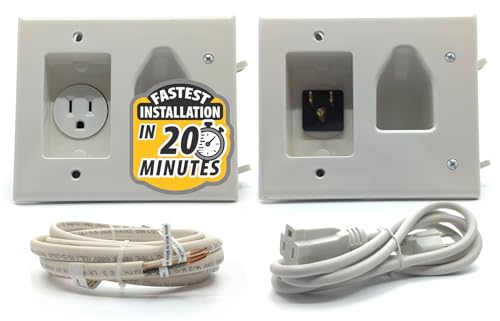
- Inside the wall. On drywall over studs, a low-voltage pass-through behind the TV and a second one above the console let the One Connect cable drop through the stud bay. A set of brush wall plates with low-voltage brackets finishes both openings. A Frame Pro also needs power at the panel, and an ordinary power cord should never run inside the wall: use an in-wall kit with a recessed outlet, such as the Legrand On-Q in-wall TV power kit, so the plug doesn’t push a slim panel off the wall. Our in-wall wire guide covers fire blocks and the power rules.
- On the wall surface. On brick, plaster or a rental, a paintable raceway such as the D-Line cord cover kit runs the cable down the wall and disappears once it’s painted.
- Straight down to the box. With the One Connect Box on a console right below, a short visible cable is the least work. It is also the one detail that gives a Frame away as a TV.
How high should you hang a Samsung Frame?
It depends on whether you watch it or mostly look at it. For watching from a sofa, the rule is the same as for any TV: center the screen at seated eye level, about 42 inches from the floor, and 42-50 inches in a bedroom. What changes from one Frame to another is the bottom edge, because each size is a different height. Using the panel heights from Samsung’s sheets:
| Frame size | Panel height (Samsung sheet) | Bottom edge, center at 42 in | Bottom edge, center at 50 in |
|---|---|---|---|
| 43” | 22 in | 31 in | 39 in |
| 50” | 25.4 in | 29.5 in | 37.5 in |
| 55” | 27.9 in | 28 in | 36 in |
| 65” | 32.8 in | 25.5 in | 33.5 in |
| 75” | 37.8 in | 23 in | 31 in |
| 85” | 42.7 in | 20.5 in | 28.5 in |
A Frame that spends most of its day showing art, in a hallway, a dining room or over a console nobody sits in front of, can hang higher, the way you would hang a painting. The limit is your neck. The highest comfortable center is eye height + 0.27 x seating distance, which keeps the upward look under 15 degrees. From a sofa 10 feet (120 inches) back, that works out to about 74 inches, and a center at 50 inches from that distance is only about 4 degrees above eye level. Our TV height calculator runs the numbers for your seat, and the TV height chart covers bedrooms and fireplaces.
A dresser or console under the Frame sets a floor for the bottom edge. If its top sits higher than the number in the table, raise the Frame until it clears.
Can a Samsung Frame go over a fireplace?
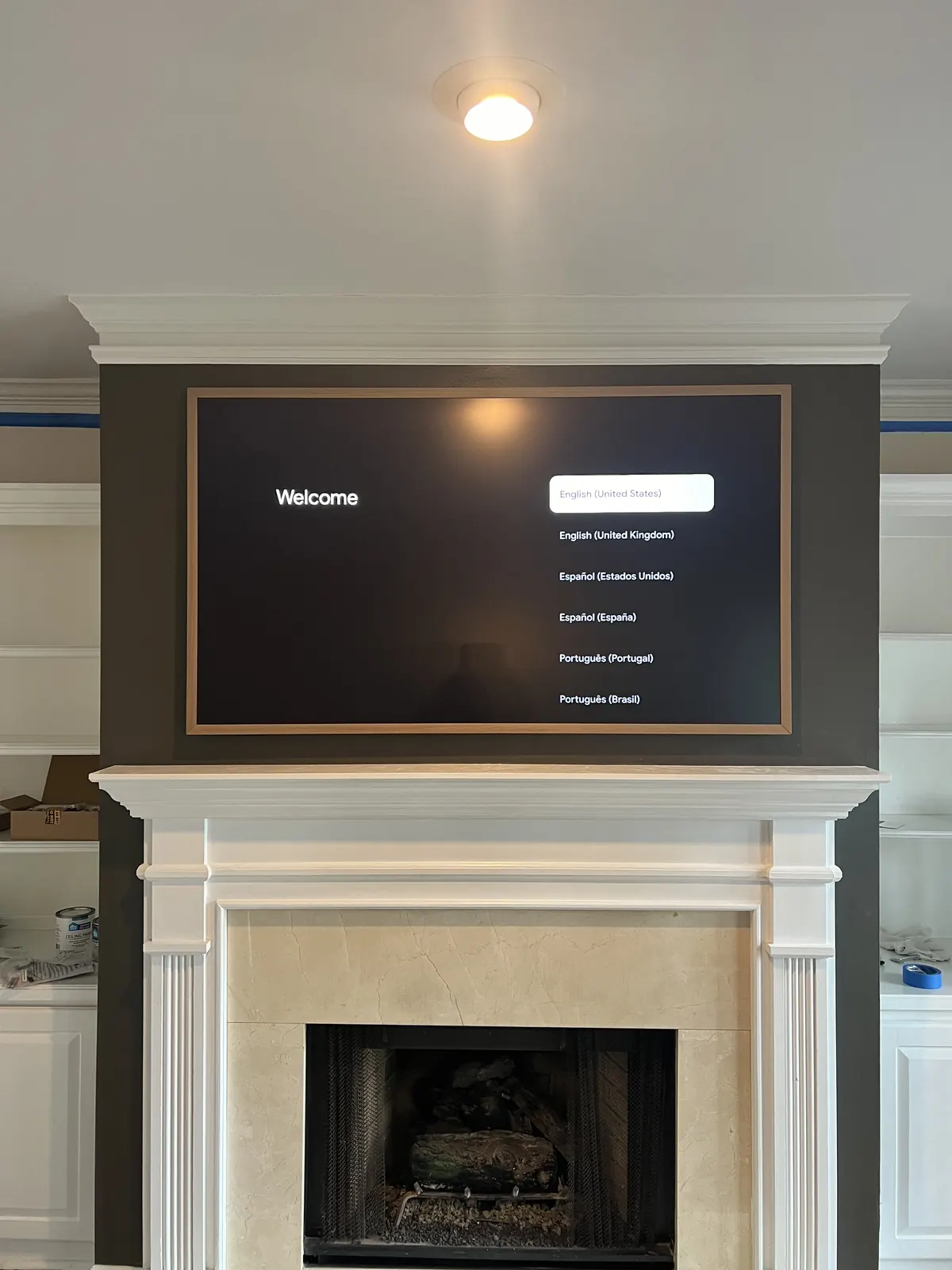
Yes, under the same limits as any TV. Leave about 12 inches between the mantel shelf and the bottom edge, check how hot the wall gets with the fire running, and accept that the center will land well above eye level. The Slim Fit mount can’t tilt, so a high Frame over a mantel either hangs flat as art or moves to a VESA tilt mount or a pull-down mount that brings it down for viewing. Our fireplace planner works through the height and the viewing angle, and the TV over a fireplace guide covers heat.
On a brick fireplace, the anchors go into the brick face or the mortar joint, whichever lines up with the mount holes. Stone veneer can’t hold a TV on its own, so the fasteners go through it into what’s behind, as explained in our brick and stone veneer guide. With a Frame Pro, keep its wireless box in the room, not behind the chimney wall.
How to mount The Frame, step by step
Step 1: Check that the wall is flat
Hold a long level or a straightedge flat against the wall where the bracket will go and look for daylight behind it. Samsung’s footnote on the Slim Fit mount is blunt about why: a wall that isn’t flat, or one built slightly off-angle to the floor, leaves a gap. A bump from an old drywall patch or a bowed stud can show up as one corner of the frame standing proud.
Step 2: Find the studs and choose fasteners for your wall
Every Frame size in the table above is 43 inches or larger, and drywall alone is only safe for a TV up to about 32 inches and 30 pounds on rated toggles. So every Frame needs studs, masonry or a backer board. Wood studs take lag bolts, metal studs take toggles through the steel, and brick or concrete takes Tapcon screws. Our toggle bolts vs lag bolts guide lists the sizes, and the metal stud guide covers high-rise walls.
Step 3: Plan the box and the cable before you drill
Pick the One Connect Box’s spot, measure the cable run, and cut any pass-throughs now. For a Frame Pro, rough in the outlet behind the panel. Changing the plan after the bracket is up means patching drywall behind a TV that was supposed to look like art.
Step 4: Mark the height
Choose the center height, then mark the bottom edge from the table. Transfer the bracket position from the mount’s instructions to the wall and level the marks.
Step 5: Fasten the bracket and check it
Drive every fastener the bracket calls for, then put the level on the bracket itself. A Frame hangs so close to the wall that a bracket a hair out of level shows up as a crooked picture.
Step 6: Connect the cable, then hang the panel with a helper
Plug the One Connect cable into the panel before it goes onto the bracket, and leave a little slack at the pass-through. From 65 inches up, the panel weighs close to 50 lb and the 85-inch models 90 lb or more, so lift it with two people.
Step 7: Snap on the bezel
Samsung sells the customizable bezels separately and describes them as magnetic frames that snap on. With the panel level and flat, this is the step where it turns into a picture.
What does a professional Frame install cost?
Our Frame installs are priced like any other TV: the flat rate for the screen size plus the add-ons you pick. The Slim Fit mount comes with the TV, so there’s usually no bracket to buy.
| What | Price |
|---|---|
| Frame up to 54” | $129 |
| Frame 55-69” | $159 |
| Frame 70-79” | $209 |
| Frame 80-94” | $299 |
| Frame 95” and up | $399 |
| Cable hidden in the wall (and power for a Frame Pro) | +$99 |
| Paintable raceway on the wall surface instead | +$79 |
| Brick, stone or concrete wall | +$99 |
| Pull-down mount over a mantel, you supply the mount | +$99 |
A 65-inch Frame with its cable hidden in the wall comes to $159 + $99 = $258. An 85-inch Frame Pro with power run behind it comes to $299 + $99 = $398.
We book same-day installs when you call before noon, in all 15 metros we serve, and an installer typically arrives within 2-4 hours of confirmation. Every install carries our 3-year workmanship warranty: if the Frame shifts or sits off level, we come back and correct it. See the full price list, check the areas we serve, or get a free quote.
Frequently asked questions
Does the Samsung Frame come with a wall mount?
Yes. Samsung lists the Slim Fit Wall Mount as an included accessory on the 2021, 2024 and 2025 Frame spec sheets and on the 2025 Frame Pro sheet. It is the bracket that lets the panel hang nearly flush.
Can you put a Samsung Frame on a regular TV mount?
Yes. The Frame has standard VESA holes, 200×200 on the 43 to 55 inch models up to 600×400 on the 85-inch, so any mount that covers the pattern and is rated for the weight will hold it. The TV will sit out from the wall by that mount’s depth.
Does the Frame need an outlet behind the TV?
Not the wired models on Samsung’s 2021 and 2024 sheets: power and video reach the panel through the One Connect cable, and the outlet goes wherever the box sits. The 2025 Frame Pro is different. Its box is wireless, and Samsung says the TV and the box each need their own power cord, so plan an outlet or an in-wall power kit behind the panel.
How far can the One Connect Box be from the TV?
As far as the cable reaches. Samsung lists a 15 m (about 49 ft) extended One Connect cable as an optional accessory for the 2021 and 2024 Frames, long enough for a closet or the next room. The Frame Pro’s wireless box has to stay in range and out of metal cabinets, and Samsung warns that walls can block it.
Why is there a gap between my Frame and the wall?
Samsung’s footnote on the Slim Fit mount names three causes: a wall that isn’t completely flat, a wall built slightly off-angle to the floor, or a mount that wasn’t installed correctly. Check the bracket with a level first, then the wall with a straightedge.
How high should a Frame TV be mounted?
For watching from a sofa, center it about 42 inches from the floor; in a bedroom, 42-50 inches. If it is mostly art in a hallway or dining room, you can hang it higher, and the TV height calculator shows the highest comfortable center for your seat.
Can I mount a Frame on drywall without studs?
No. Drywall alone is only safe for a TV up to about 32 inches and 30 pounds, and the smallest Frame on these spec sheets is 43 inches. Anchor the bracket into studs, masonry or a backer board screwed to the studs.