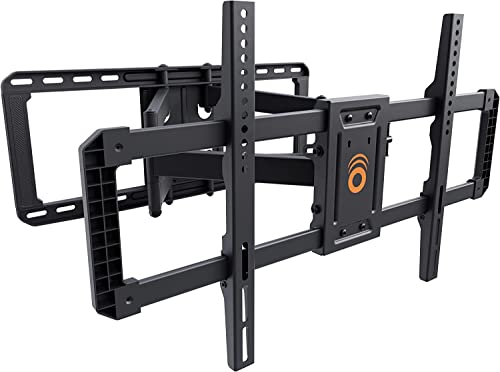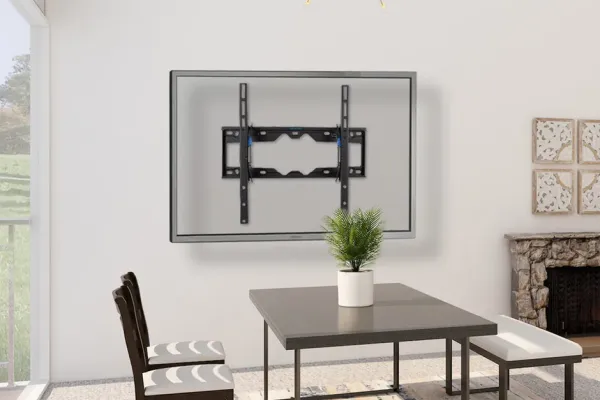
A VESA pattern is the spacing of the four mounting holes on a TV’s back, in millimeters, width × height. Size doesn’t settle it: in Express Mounting’s research of 2024-2026 TVs, compiled from each maker’s published specs, 65-inch models use six patterns, 400×300 most often. Check your model or measure the holes, then buy a mount that lists that pattern.
Quick note: This page contains Amazon affiliate links. We may earn a small commission at no extra cost to you if you buy through them.
Know your TV model? Skip the chart and look it up: the VESA mount finder works from brand, size and model, and our per-model pages list the pattern, weight and mounts that fit for Samsung, LG, Sony, TCL, Hisense and Vizio. Older set? The family pages cover every year and size: LG C-Series, G-Series, Samsung Frame, QN90, TCL QM8 and Hisense U8.
If you’ve ever pulled a $200 articulating mount out of an Amazon box only to find the bolt holes don’t line up with your TV, you already know why this spec matters. It’s the first thing we check before any install, because it decides whether the bracket bolts to the TV at all. The weight rating and the wall come next.
Most charts online give one pattern per screen size. Real TVs don’t work that way, and the chart below shows by how much.
What is a VESA pattern?
VESA is the Video Electronics Standards Association, the industry body that publishes the Flat Display Mounting Interface standard. Every major TV and mount maker follows it, which is why a Samsung TV and a Sanus mount built on opposite sides of the planet bolt together without an adapter.
The standard fixes three things:
- where the threaded mounting holes sit on the back of the TV
- how far apart they are, always in millimeters
- the thread size of the screws that go into them
A pattern is written as horizontal × vertical spacing. VESA 400×400 means four holes in a square, 400 mm apart side to side and 400 mm top to bottom. VESA 600×400 is a rectangle, 600 mm wide and 400 mm tall. In inches, 400 mm is about 15.75 in and 600 mm about 23.62 in. The full conversion is in the quick reference further down.
Makers publish the pattern for each model on their support sites: Samsung, LG and Sony all list it with the specs.
VESA size chart by TV size
There is no single pattern per size. The chart below counts the 2024, 2025 and 2026 US models in Express Mounting’s research, compiled from each maker’s published specs (product pages, setup guides and spec sheets from Samsung, LG, Sony, TCL, Hisense, Vizio and Roku). Each model counts once per screen size, and the VESA finder answers from the same research.
| TV size | 2024-2026 listings | Most common pattern (count) | Also seen (count) | Weight without stand |
|---|---|---|---|---|
| 24” | 4 | 100×100 (2) | 200×200 (2) | 5-6 lb |
| 32” | 16 | 100×100 (9) | 200×200 (6), 200×100 (1) | 7-12 lb |
| 40” | 9 | 100×100 (4) | 200×100 (2), 200×200 (2), 300×200 (1) | 10-13 lb |
| 42” | 6 | 200×200 (3) | 300×200 (3) | 18-22 lb |
| 43” | 46 | 200×200 (37) | 300×200 (5), 200×100 (2), 300×300 (2) | 12-22 lb |
| 48” | 12 | 300×200 (12) | none | 23-33 lb |
| 50” | 61 | 200×200 (35) | 400×300 (11), 300×200 (8), 300×300 (6), 1 more | 18-35 lb |
| 55” | 115 | 300×200 (42) | 200×200 (31), 300×300 (21), 400×300 (10), 2 more | 21-65 lb |
| 58” | 6 | 200×200 (4) | 300×200 (2) | 23-27 lb |
| 60” | 2 | 400×300 (2) | none | 33 lb |
| 65” | 143 | 400×300 (65) | 300×200 (29), 300×300 (29), 400×400 (10), 2 more | 29-86 lb |
| 70” | 13 | 400×300 (5) | 300×300 (4), 400×400 (4) | 41-63 lb |
| 75” | 121 | 400×400 (56) | 400×300 (34), 300×300 (17), 600×400 (6), 2 more | 39-111 lb |
| 77” | 23 | 400×300 (9) | 300×200 (6), 300×300 (5), 400×400 (3) | 51-83 lb |
| 83” | 19 | 400×400 (13) | 400×300 (6) | 57-90 lb |
| 85” | 84 | 600×400 (55) | 400×400 (14), 400×300 (7), 600×500 (4), 2 more | 57-116 lb |
| 86” | 15 | 600×400 (12) | 400×400 (3) | 74-128 lb |
| 97” | 3 | 600×400 (3) | none | 126-127 lb |
| 98” | 26 | 600×400 (13) | 600×500 (8), 600×300 (2), 800×400 (2), 1 more | 110-152 lb |
| 100” | 20 | 600×400 (10) | 800×400 (10) | 104-148 lb |
| 115” | 7 | 1000×600 (5) | 1000×700 (2) | 185-235 lb |
| 116” | 2 | 800×600 (2) | none | 216 lb |
753 listings in all: the 2024, 2025 and 2026 US models and sizes in Express Mounting’s research, each read from its maker’s own documents, one row per model and size. 8 of them (TCL’s A300L and A300W, 55-85 in) have no VESA pattern and come with the maker’s own mount, so they count as listings but sit under no pattern.
TVs by pattern, with the mounts that fit each: 400×300, 200×200, 300×200, 400×400, 600×400, 300×300, 100×100, 800×400, 600×500.
At 43 inches, 37 of the 46 listings use 200×200, the closest thing to a rule in the chart. Above that the patterns spread out. Three things stand out:
- 400×400 is not the default it is often made out to be. It shows up on 2 of 115 listings at 55 inches and 10 of 143 at 65 inches, and it leads only at 75 and 83 inches. Across all 745 listings with a pattern, 400×400 and 600×400 together account for 204, about 27%.
- Patterns change inside one model line. 145 of the 166 models sold in two or more sizes use more than one pattern across those sizes, so a 55-inch and a 65-inch from the same range often need different brackets.
- Brands have habits at 65 inches. 11 of Sony’s 12 65-inch listings use 300×300, 38 of Samsung’s 53 use 400×300, and 19 of LG’s 32 use 300×200.
How the numbers were built: Express Mounting research compiled from each maker’s published specs. In September 2026 the 2024, 2025 and 2026 US models were read size by size from Samsung, LG, Sony, TCL, Hisense, Vizio and Roku’s own product pages, setup guides, spec sheets and support articles, each row with its source and the date it was checked. Each model and size counts once, and the counts are not weighted by sales. Rows the research could not confirm against the maker’s own documents are left out, and a few Roku rows use Roku’s approximate weights. The method, counts by size band and a CSV download are on the research page. These are published specs, so measure your own holes before you buy.
Mounts that cover these patterns. Every mount lists its VESA range on the box; check your pattern falls inside it. For 42-90 inch TVs on a full-motion arm, the Sanus VLF728 is the one we reach for on living-room jobs, and the ECHOGEAR MaxMotion covers the same 42-90 inch range for much less money. For a flat install on TVs up to 90 inches, the ECHOGEAR fixed low-profile mount is rated to 150 lb. Smaller sets from 26 to 60 inches fit the PERLESMITH ultra-slim fixed mount, and 65-100 inch TVs that need an arm fit the Sanus VXF830.
On anything over 85 inches, plan the wall before the mount: two studs at minimum, and often a 3/4-inch plywood backer across three. Mounts often ship with 1/4 x 2 inch lag bolts; on a heavy TV we swap those for 3/8 x 3 inch lags into the center of the studs.
How to find your TV’s VESA pattern
Look it up
Search “[your TV model] VESA” or open the maker’s support page (Samsung, LG, Sony, TCL, Hisense), enter the model number and find the wall-mount spec. The manual lists the pattern next to the screw size and the TV’s weight without its stand. The model number is on a sticker on the back of the TV and in the Settings menu.
Measure the holes
- Find the four threaded holes on the back of the TV.
- Measure center to center, left to right. That is the first number.
- Measure center to center, top to bottom. That is the second number.
- Convert inches to millimeters by multiplying by 25.4. A 15.75-inch square is VESA 400×400.
Hole covers catch a lot of people out. LG OLEDs and many Samsung sets hide the holes under snap-on plastic covers, so a TV that seems to have no VESA holes usually has them under the covers. Pry them off with a thin flat-head screwdriver and keep them in case you ever take the TV down.
Check the back panel
Some makers print the pattern on a label near the holes, mold it into the plastic back, or put it on the model and serial sticker.
VESA screw sizes: M4, M5, M6 and M8
The pattern tells you where the holes are. The screw size tells you what goes into them.
| Screw | Thread diameter | Typical use |
|---|---|---|
| M4 | 4 mm | Small TVs and monitors (75×75, 100×100) |
| M5 | 5 mm | Some small and mid-size TVs |
| M6 | 6 mm | Most mid-size and large TVs (200×200 to 400×400) |
| M8 | 8 mm | Large and heavy TVs, commercial displays (600×400 and up) |
Length matters as much as thread. A screw that is too long can bottom out inside the TV and press on the panel. The manual lists the screw and the maximum depth; use that, or the screws that came with the TV. Thin OLEDs and curved backs are the usual trouble spots, and spacers fix a gap between a recessed hole and the bracket arm.
If the screws in your mount’s bag don’t match, a VESA screw kit with M4, M5, M6 and M8 screws and spacers covers almost every TV.
What the VESA range on a mount means
“Universal” mounts list a range, for example VESA 200×200 to 600×400. The bracket arms slide or have several hole positions, so any pattern between the smallest and the largest usually fits. Some list only specific patterns instead (for example 100×100, 200×200, 300×300, 400×400). Check that yours is on the list, especially a rectangle such as 400×300.
The VESA range says nothing about weight. A mount can fit a 600×400 pattern and still be rated for only 80 lb, which rules out an 85-inch TV that weighs 100. Check both numbers, and leave a margin: we look for a weight rating at least 25% above the TV’s weight without its stand, so an 80 lb TV wants a mount rated to 100 lb or more.
Will this mount fit? Four quick cases
| Your TV | Mount’s VESA range | Fits? |
|---|---|---|
| 400×400 | 100×100 to 400×400 | Yes, inside the range |
| 600×400 | 100×100 to 400×400 | No, the TV is wider than the mount’s maximum |
| 75×75 | 200×200 to 600×400 | No, the TV is smaller than the mount’s minimum |
| 400×300 | 100×100 to 400×400 | Usually, if the arms slide vertically; check for a 300 mm position |
Buying a new TV and keeping the mount? Will your wall mount fit your new TV? checks how often the pattern changed between the 2024, 2025 and 2026 models, size by size.
Special cases: The Frame, Gallery OLEDs, curved TVs
Samsung The Frame. The Frame is built to hang on Samsung’s own flush wall mount. A standard VESA bracket leaves a visible gap behind it, which defeats the picture-on-the-wall look. The sizes and years are on our Samsung Frame page.
LG Gallery OLEDs (G-series). Most sizes ship with LG’s own flush bracket in the box. Whether a standard VESA bracket also fits depends on the year and size, and sources disagree on the newest G-series models, so check LG’s manual for your exact model before buying an aftermarket mount. The G-Series page lists the patterns by year.
Sony OLEDs. Standard patterns, but thin panels. Sony’s manuals are specific about maximum screw depth. Read that page before you tighten anything.
Offset holes. On some TVs the holes sit off the screen’s center, so a TV hung on a centered bracket ends up to one side. Pick a mount that slides sideways after it is hung, and level the TV itself once it is up, not just the bracket. A digital level and angle gauge on the top edge makes that quick.
Curved TVs. Standard patterns, but the curve needs clearance behind it. Use a mount rated for curved screens and check the spacers.
Buying checklist
- Pattern: from the finder, the manual or a tape measure.
- Weight: the TV’s weight without its stand, plus at least 25%.
- Range: the mount’s VESA range includes your pattern, and its weight rating clears step 2.
- Screen size range: a secondary check once 1-3 pass.
- Screws: thread and length from the manual.
- Mount type: fixed, tilting or full-motion, matched to the room. Our TV height chart pairs each room with a mount type, and tilt vs swivel compares the two moving kinds.
Skip any listing that gives only a screen size and no VESA range. A very high weight rating on a very cheap mount deserves a second look too: a UL listing on the box means it was load-tested to a published standard.
Pattern quick reference: inches, sizes, screws
The two size columns come from the same 2024-2026 research as the chart above. The screw column is the thread the makers list most often for that pattern (Samsung lists M8 on every set above 32 inches); your manual has the exact screw and its length.
| Pattern (mm) | In inches | Sizes where it showed up | Most often at | Usual screw |
|---|---|---|---|---|
| 75×75 | 2.95 × 2.95 | none in the 2024-2026 research | n/a | M4 |
| 100×100 | 3.94 × 3.94 | 24-40” | 32” | M4 or M6 |
| 200×100 | 7.87 × 3.94 | 32-43” | 40” | M6 |
| 200×200 | 7.87 × 7.87 | 24-65” | 43” | M6 (M8 on Samsung) |
| 300×200 | 11.81 × 7.87 | 40-77” | 55” | M6 (M8 on Samsung) |
| 300×300 | 11.81 × 11.81 | 43-77” | 65” | M6 |
| 400×200 | 15.75 × 7.87 | 50-65” | 55” | M6 |
| 400×300 | 15.75 × 11.81 | 50-85” | 65” | M6 (M8 on Samsung) |
| 400×400 | 15.75 × 15.75 | 55-86” | 75” | M6 or M8 |
| 600×400 | 23.62 × 15.75 | 75-100” | 85” | M8 |
| 600×500 | 23.62 × 19.69 | 85-98” | 98” | M8 |
| 800×400 | 31.5 × 15.75 | 98-100” | 100” | M8 |
Frequently asked questions
What VESA pattern is a 65-inch TV?
There isn’t one. Across the 143 listings at 65 inches in Express Mounting’s 2024-2026 research, 400×300 was the most common (65), then 300×200 (29), 300×300 (29) and 400×400 (10). Sony’s 65-inch sets almost all use 300×300, Samsung’s mostly 400×300 and LG’s mostly 300×200. Look up your model or measure the holes.
What VESA pattern is a 55-inch TV?
Most often 300×200 (42 of the 115 listings at 55 inches in Express Mounting’s 2024-2026 research), then 200×200 (31) and 300×300 (21). Only 2 of the 115 use 400×400.
What is VESA 400×400 in inches?
About 15.75 × 15.75 inches, measured center to center between the holes. VESA 600×400 is about 23.62 × 15.75 inches.
What screws fit a VESA mount?
Most mid-size and large TVs take M6 screws, small TVs M4, and the biggest panels M8. The manual gives the exact size and the maximum depth, which matters on thin OLEDs.
Do all four holes need to be used?
Yes. The bracket is designed for four-point load, and mounting with fewer puts the whole TV on the remaining screws.
Can I use a mount with a larger VESA range than my TV?
Yes, as long as your pattern is inside the range and the arms adjust to it. A mount rated 200×200 to 600×400 works for a 400×400 TV.
What if my TV doesn’t have VESA holes?
Check under any plastic covers on the back first; most modern OLEDs and premium LED sets hide the holes there. A few small or older TVs have no holes at all and need a strap-style mount, a stand, or the maker’s own bracket.
Can I drill new holes in my TV for a different pattern?
No. The TV’s internal frame is reinforced only at the factory holes. Drilling elsewhere either misses the steel or hits the panel and electronics. Use a VESA adapter plate or choose a mount that fits.
Are VESA patterns metric or imperial?
Metric. VESA 400×400 means 400 millimeters each way, about 15.75 inches. The standard is published by the Video Electronics Standards Association.
When to call a pro
If you’re not sure the mount and TV will match, or you’d rather not lift a 75-pound TV and hope the lag bolts find a stud, that is the part we do all day. We confirm the pattern, the weight rating and the wall before the TV comes out of the box.
- Flat-rate labor: $129 (up to 54”), $159 (55-69”), $209 (70-79”), $299 (80-94”), $399 (95”+)
- Bring your own bracket, or buy one from us: flat $49 or $69, full-motion $59 or $79
- Same-day slots in all 15 metros when you book before noon
- A 3-year workmanship warranty on every install
Book your TV mounting install, see the full price list, or call (470) 777-4077.