
Anker In Stock
Anker HDMI Switch, 4 in 1 Out 4K@60Hz HDMI Switcher with Remote Selector
$42.99 View on Amazon
Modern TVs typically have 3-4 HDMI ports, but many households have more devices than ports: streaming stick, game console, soundbar, cable box, Blu-ray player, laptop connection. Bottom line first: the Kinivo 5-Port HDMI Switch is our budget reliable pick, gamers chasing 4K at 120Hz need the HDMI 2.1 Switch (8K/4K@120Hz), and the Denon AVR-S570BT covers anyone stepping up to surround sound.
HDMI switches solve this by letting multiple devices share one TV input. HDMI splitters do the opposite - sending one source to multiple displays. AV receivers provide switching plus audio processing for serious home theater setups. We help clients figure out which solution fits their setup during installation planning. Getting this right means no unplugging cables when you want to switch devices and clean cable management from the start.
Updated
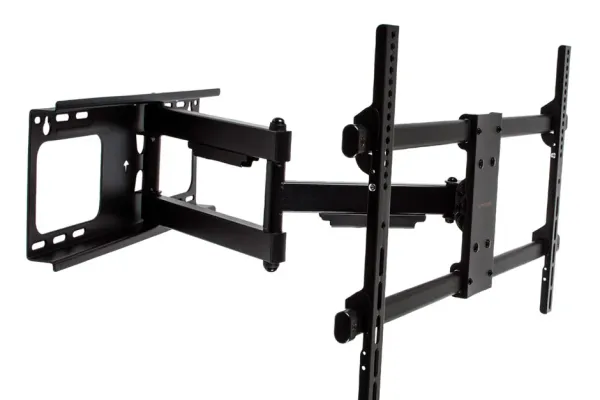
The boxes we reach for when a TV runs out of inputs.
As an Amazon Associate, we earn from qualifying purchases. Prices as of Oct 8, 2026, 12:10 PM EDT. Product prices and availability are accurate as of the date/time indicated and are subject to change. Any price and availability information displayed on Amazon.com at the time of purchase will apply to the purchase of this product.

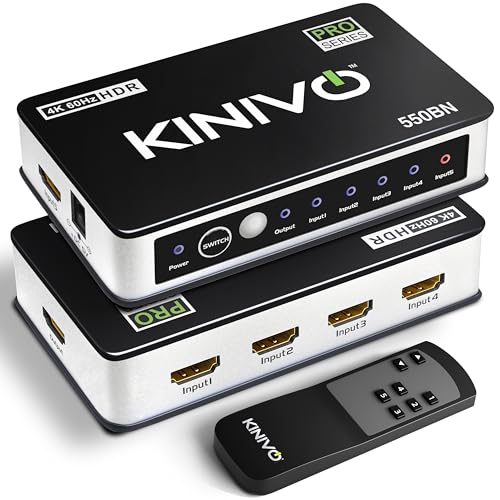

HDMI switches let you connect multiple source devices (gaming consoles, streaming boxes, etc.) to a single HDMI input on your TV. When you want to use a different device, press a button on the switch or remote rather than crawling behind the TV to swap cables. Quality 4K switches maintain full signal quality without degradation. Some switches auto-detect which device is active and switch automatically. For most households with more devices than TV inputs, a 3-5 input switch solves the problem elegantly.

Best forOur budget reliable pick
HDMI 2.0, handles 4K@60 work
Shop on Amazon
Best forAdding a couple of sources
At 3 ports, passive power is common
Shop on Amazon
Best forStreaming and movie watching
Match the rating to your best source
Shop on Amazon
Best forPS5 and Series X at 4K@120Hz
Needs 48Gbps for VRR and ALLM
Shop on Amazon💡 Switch vs Splitter: Switch = many sources to one display | Splitter = one source to many displays
HDMI splitters send one video source to multiple TVs simultaneously - perfect for sports bars, waiting rooms, or homes where you want the same content on multiple screens. Unlike switches (which select between sources), splitters duplicate the signal. All connected displays show the same content at the same time. Quality splitters maintain 4K resolution across all outputs. Note that HDCP (copy protection) can cause issues with some content when splitting - look for splitters that handle HDCP properly.

Best forSame feed on two screens
Output limited by the weakest display
Shop on Amazon
Best forSports bars and waiting rooms
Go powered for reliable 4K
Shop on Amazon Best forSending sound to a separate system
Check HDCP compatibility for streaming
Shop on AmazonFor serious home theater setups, an AV receiver is the proper solution for input management. Receivers handle multiple HDMI inputs, process surround sound audio, power speakers, and provide clean switching between sources. They're the central hub of a true home theater system. Modern receivers support 4K passthrough, Dolby Atmos, and often include streaming capabilities. While more expensive and complex than simple switches, receivers provide audio benefits that switches can't match.

Best forEntry point into surround sound
Switches inputs and powers speakers
Shop on Amazon
Best forSetups with 5+ HDMI sources
4K passthrough with Dolby Atmos
Shop on Amazon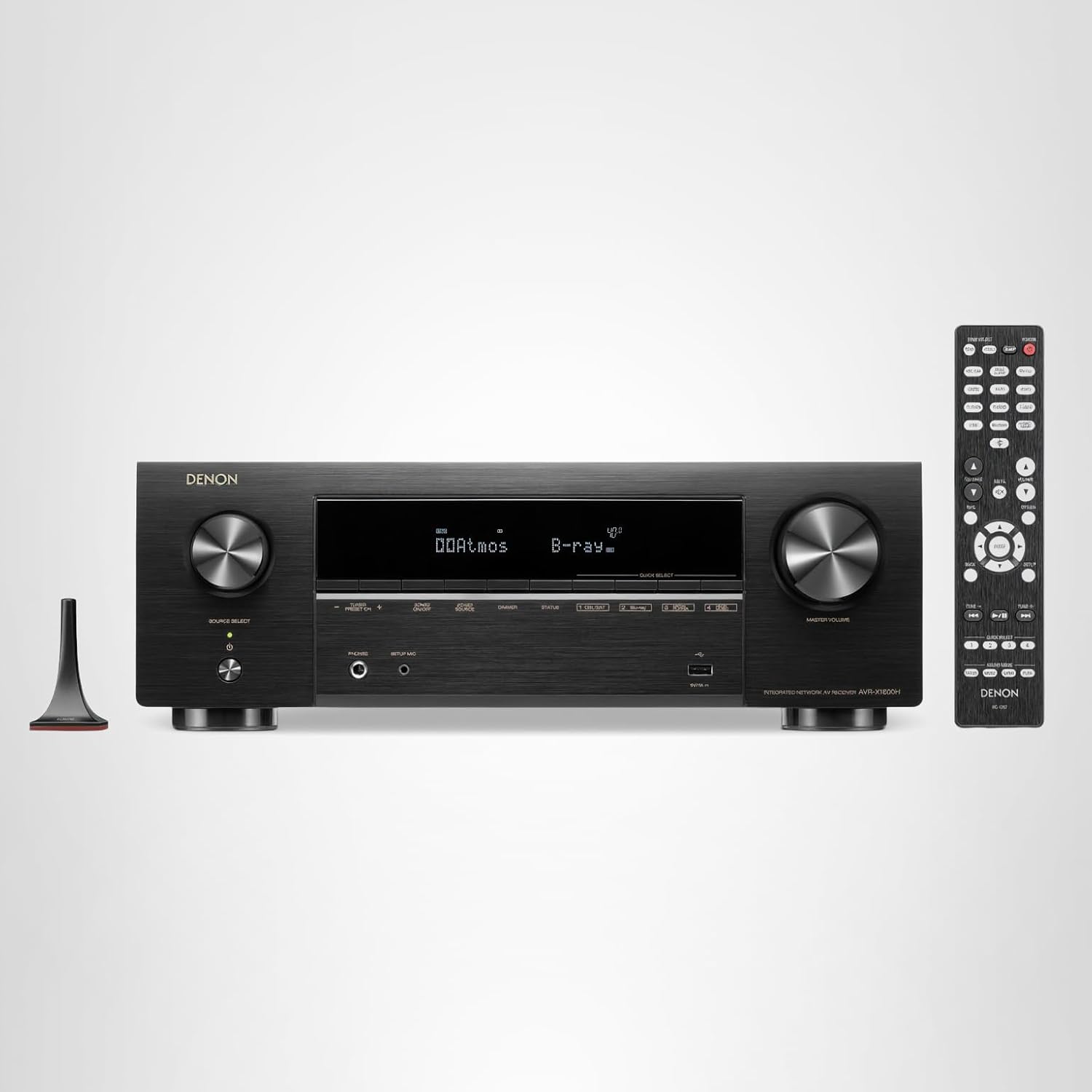
Best forThe step up for dedicated theaters
Room correction and audio processing
Shop on AmazonNext-gen gaming consoles (PS5, Xbox Series X) benefit from HDMI 2.1 features: 4K at 120Hz, Variable Refresh Rate (VRR), and Auto Low Latency Mode (ALLM). If your TV has limited HDMI 2.1 ports, you need an HDMI 2.1 switch that maintains these features. Standard HDMI 2.0 switches work fine for streaming and movies but will limit gaming performance. HDMI 2.1 switches are more expensive but essential for getting full performance from current gaming hardware.

Best forTVs short on HDMI 2.1 ports
Keeps 4K@120Hz, VRR, and ALLM intact
Shop on Amazon Best forFull 48Gbps console gaming
Powered models essentially required here
Shop on AmazonWhen the TV runs out of ports, a $10-70 switch beats re-plugging cables forever - the spec that matters is bandwidth certified by HDMI.org: 18Gbps covers 4K@60 streaming, 48Gbps covers HDMI 2.1 gaming at 4K@120. Every switch below is one we have configured behind real walls.
Quick note: This page contains Amazon affiliate links. We may earn a small commission at no extra cost to you if you buy through them. Our picks are based on what we see working in the rooms where we mount TVs, not on spec sheets alone.
After 9,747+ installs since 2015, these are the switches our crews keep stocked, and the ones we won’t touch. Picks by Alex Crabinsky, founder of Express Mounting.
Need professional installation in Metro Atlanta? Call (470) 777-4077 for same-day TV mounting service across 437 cities across our 13 US metros. Flat-rate pricing: $129-$399 basic, $99/TV cable concealment, +$99 masonry surcharge.
HDMI switches come up often on our cable concealment jobs. The reason is simple: a typical Buckhead or Sandy Springs entertainment center now has cable box plus Apple TV 4K plus Roku Ultra plus PS5 plus Xbox Series X plus a laptop dock, and a TV with 4 HDMI inputs cannot keep up. My truck stays stocked with Monoprice Blackbird 4K@60 5x1 switches for streaming-heavy setups, Kinivo 5-port HDMI 2.0 switches as my budget reliable option, and Hdiwousp HDMI 2.1 48Gbps switches for the gamers who refuse to compromise on 4K@120Hz with VRR.
A common case: five sources (a cable box, an Apple TV 4K, a Switch dock, a PS5 and an Xbox Series X) and a TV with four inputs. The fix is a 4K@60 5x1 switch with EDID emulation behind the TV, so the cable box still sees a display when the switch routes elsewhere, plus one HDMI run up the wall through an in-wall power kit. Add a hub remote and the whole stack runs from one button.
Inman Park and Midtown condo installs often need an HDMI switch because high-rise units rarely have wide entertainment-center walls and customers want everything hidden. Sandy Springs and Marietta home theater setups tend to use AV receivers instead of standalone switches, but for the customer who has a soundbar and not a 5.1 system, a 50-dollar switch is the right answer. Read more about my install workflow at Alex Crabinsky’s author page or call (470) 777-4077 for same-day Metro Atlanta HDMI switch installs.
Express Mounting installation pricing, the same in all 13 metros:
Every install carries a 3-year workmanship warranty. Call (470) 777-4077 for same-day service or book online.
They do opposite things. An HDMI switch connects multiple source devices (like a game console, streaming box, and Blu-ray player) to one TV input - you select which source to watch. An HDMI splitter takes one source and sends it to multiple displays simultaneously - all TVs show the same content. Most home users need a switch (multiple devices, one TV). Businesses often need splitters (one cable box feeding multiple TVs in a sports bar). The terminology is confusing because they sound similar, but the functionality is completely different.
Quality switches maintain full signal quality with no visible degradation. The key is matching the switch's capabilities to your content. A 4K@60Hz switch passes 4K@60Hz content perfectly. Problems occur when using a switch rated below your content quality - a 4K@30Hz switch will downgrade 4K@60Hz content. For most streaming and movie watching, any decent 4K switch works fine. For gaming at 4K@120Hz or with VRR, you need an HDMI 2.1 switch specifically rated for those features. Buy a switch that matches or exceeds your highest-quality source device's output capability.
Some do, some don't. Passive switches (usually 3 ports or fewer) draw power from the HDMI signal itself and don't need external power. Active/powered switches (usually 4+ ports or higher bandwidth) need USB or AC power to boost the signal properly. Powered switches are generally more reliable, especially for 4K content or longer cable runs. If you're having signal issues with a passive switch, try a powered alternative. For HDMI 2.1 gaming switches, powered models are essentially required due to the high bandwidth demands.
HDCP (High-bandwidth Digital Content Protection) is likely the culprit. Streaming services use HDCP to prevent copying, and some cheap switches don't handle HDCP properly. When HDCP handshake fails, you get a black screen or error message. Solutions: use a switch that specifically states HDCP 2.2 (or 2.3) compliance, try connecting the streaming device directly to test, or use a different HDMI port on the switch. Quality switches from reputable brands handle HDCP correctly - this is mostly an issue with very cheap no-name switches.
If you want surround sound, yes - an AV receiver provides HDMI switching plus audio processing that separate switches can't match. Receivers decode Dolby Atmos/DTS:X, power speakers, and provide room calibration. If you're only using TV speakers or a soundbar, a simple HDMI switch is more cost-effective and less complex. The decision point is audio: stereo/soundbar setup = HDMI switch is fine; surround sound system = AV receiver makes sense. Receivers cost more ($300-1000+) but replace the need for separate switching and audio equipment.
If you have more devices than HDMI ports on your TV, you need a switch. Modern TVs typically ship with 3-4 HDMI inputs, but a typical Buckhead or Sandy Springs entertainment setup quickly outgrows that: cable box plus Apple TV plus Roku Ultra plus PS5 plus Xbox Series X plus a laptop dock equals six sources fighting for four ports. A 4K@60 5x1 switch with EDID emulation behind the TV, powered through an in-wall power kit, lets you switch sources from the switch's remote without crawling behind the wall. The alternative is unplugging cables every time you switch devices, which kills HDMI ports over time. A 30-50 dollar switch saves hundreds in eventual TV repairs.
A quality switch maintains full signal quality with zero visible degradation - the trick is matching the switch's bandwidth rating to your highest-end source. For 4K@60 streaming and Blu-ray you need an 18Gbps switch (HDMI 2.0). For PS5 and Xbox Series X at 4K@120Hz with VRR and ALLM you need a 48Gbps switch (HDMI 2.1). Cheap switches drop HDR metadata and break HDCP 2.2 handshake on streaming services - we regularly replace no-name 10-dollar switches after customers see black screens on Netflix or washed-out colors. My truck stocks Monoprice Blackbird and Kinivo for 4K@60 work and Hdiwousp or Soundavo for HDMI 2.1 gaming. Spending 40 dollars on a real switch beats spending 10 dollars three times.
Yes - HDMI switch placement and configuration is included in our standard cable concealment workflow. We mount the switch behind the TV in a vented spot, run HDMI from each source up the wall using PowerBridge ONE-CK in-wall power, label every cable, set the switch to auto-detect or assign source priorities, and verify EDID handshake on each input before we leave. For full home theater setups we can also program the switch into a SofaBaton remote so source switching is one button (remote programming is quoted when you book). Cable concealment with switch integration is the standard $99 per TV; we do not charge extra for placing the switch itself, just for the wall work. Call (470) 777-4077 to book Metro Atlanta installs.
Behind the TV when sources are scattered and only one cable can run up the wall; at the shelf when everything lives in a cabinet and a single HDMI feeds the TV. Behind-TV placement needs a vented gap and reachable power - we mount switches on hook-and-loop with a service loop so inputs stay accessible after concealment.
We install what we recommend.
Book the mount and we set up what you bought. Flat-rate TV mounting from $129 across 13 US metros.
Need more HDMI ports? Browse our recommended switches, splitters, and AV receivers for managing multiple devices with your mounted TV setup.