
Casaottima In Stock
Casaottima TV Stand for 65 Inch TV, Entertainment Center, White
$129.99 $159.99
−19%
View on Amazon
Wall mounting isn't always possible or preferred - rental restrictions, brick walls, personal preference, or room layout can all make TV stands the better choice. Up front: the FITUEYES Swivel TV Stand is our zero-drill pick for renters, the Walker Edison Modern Console covers design-conscious living rooms, and the VIVO Mobile TV Cart handles rooms where the TV moves.
Quality TV stands and media consoles provide stable support for large TVs while offering storage for equipment, cable management solutions, and design options that complement your room. Modern stands range from minimalist floating shelves to full entertainment centers with built-in mounts. We help clients who can't wall mount find solutions that still provide clean, organized setups. A well-chosen TV stand can look just as good as a wall mount while offering practical benefits like easy equipment access and flexible repositioning.
Updated
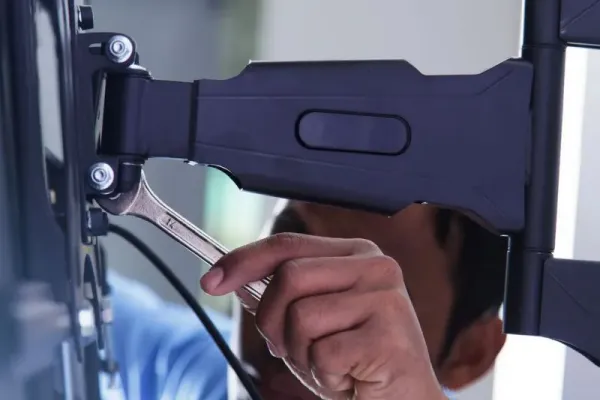
Mount-style stands we suggest when walls are off limits.
As an Amazon Associate, we earn from qualifying purchases. Prices as of Oct 8, 2026, 12:10 PM EDT. Product prices and availability are accurate as of the date/time indicated and are subject to change. Any price and availability information displayed on Amazon.com at the time of purchase will apply to the purchase of this product.


Both jobs, one piece: TV stands with built-in mounting brackets. These provide the stability of floor furniture with the raised, floating TV look of wall mounting. The TV attaches to a mount built into the stand, raising it above the surface. Great for rentals where you can't drill walls, or rooms where wall mounting isn't practical. Many include swivel capability and cable management channels through the mount post. Weight capacities are typically generous since the floor-standing design provides inherent stability.

Best forThe wall-mounted look without drilling
Swivel post with cable channels
Shop on Amazon
Best forRenters, easy relocation
Floor design adds inherent stability
Shop on Amazon
Best forStorage plus the floating TV look
Generous weight capacity, built-in mount
Shop on AmazonClassic media consoles provide a surface for your TV plus storage for equipment, games, and media. Modern designs emphasize clean lines, cable management, and ventilation for electronics. When choosing a console, ensure it's wide enough for your TV (TV should be smaller than console width for visual balance), has adequate ventilation for equipment, and offers cable management solutions. Floating/wall-mounted consoles provide a modern look while keeping floor space clear.

Best forDesign-conscious living rooms
Flat-pack assembly required
Shop on Amazon
Best forKeeping floor space clear
Ensure ventilation for equipment
Browse the category on Amazon → Shop on Amazon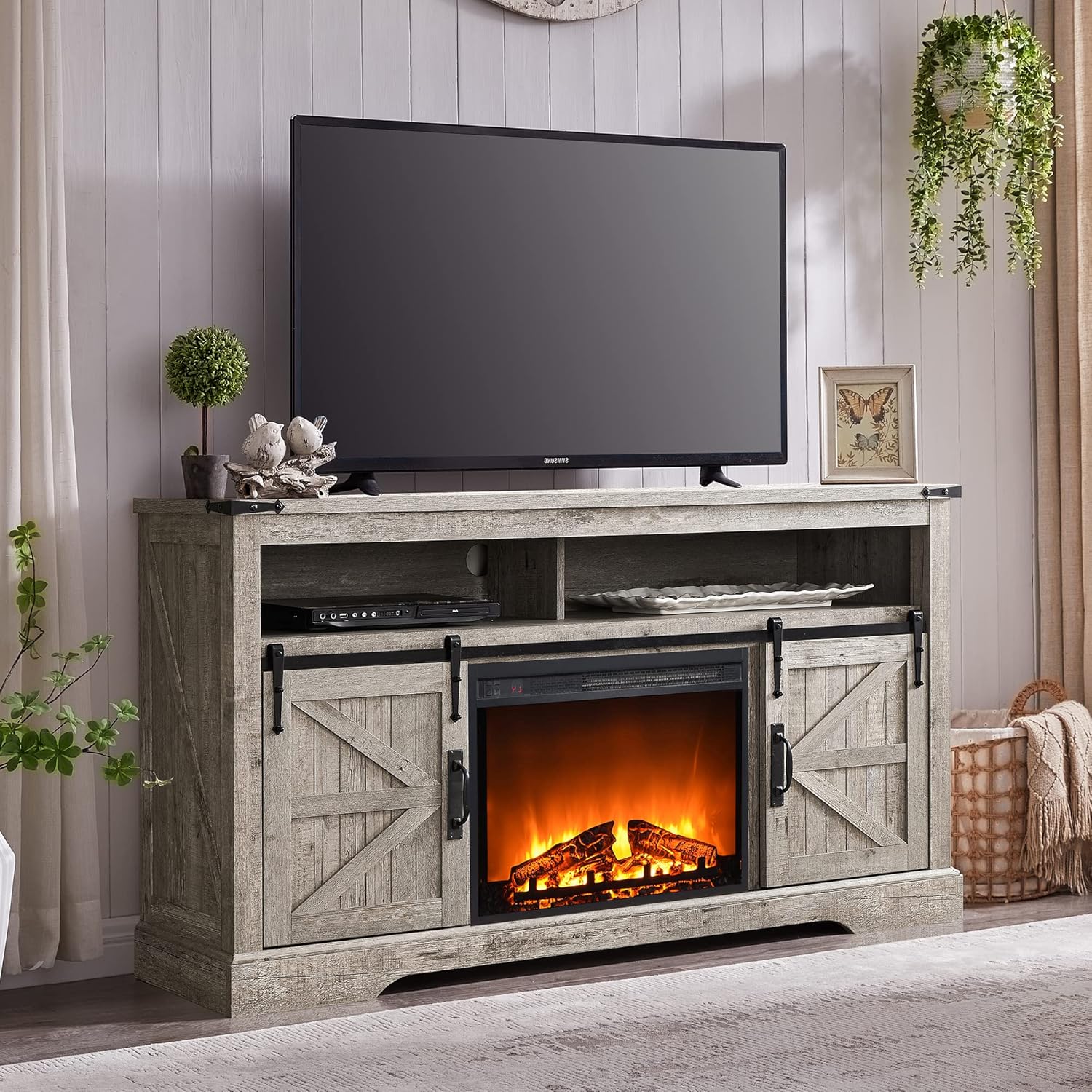
Best forRustic and farmhouse decor
Console should sit wider than the TV
Shop on AmazonRolling TV carts provide ultimate flexibility - move your TV between rooms, bring it onto a patio, or reposition for different events. Popular in offices, classrooms, and homes where TV placement needs to change. Quality carts feature locking casters, cable management, and equipment shelves. Some include built-in power strips. Choose sturdy construction that won't tip - look for wide bases and low center of gravity designs.
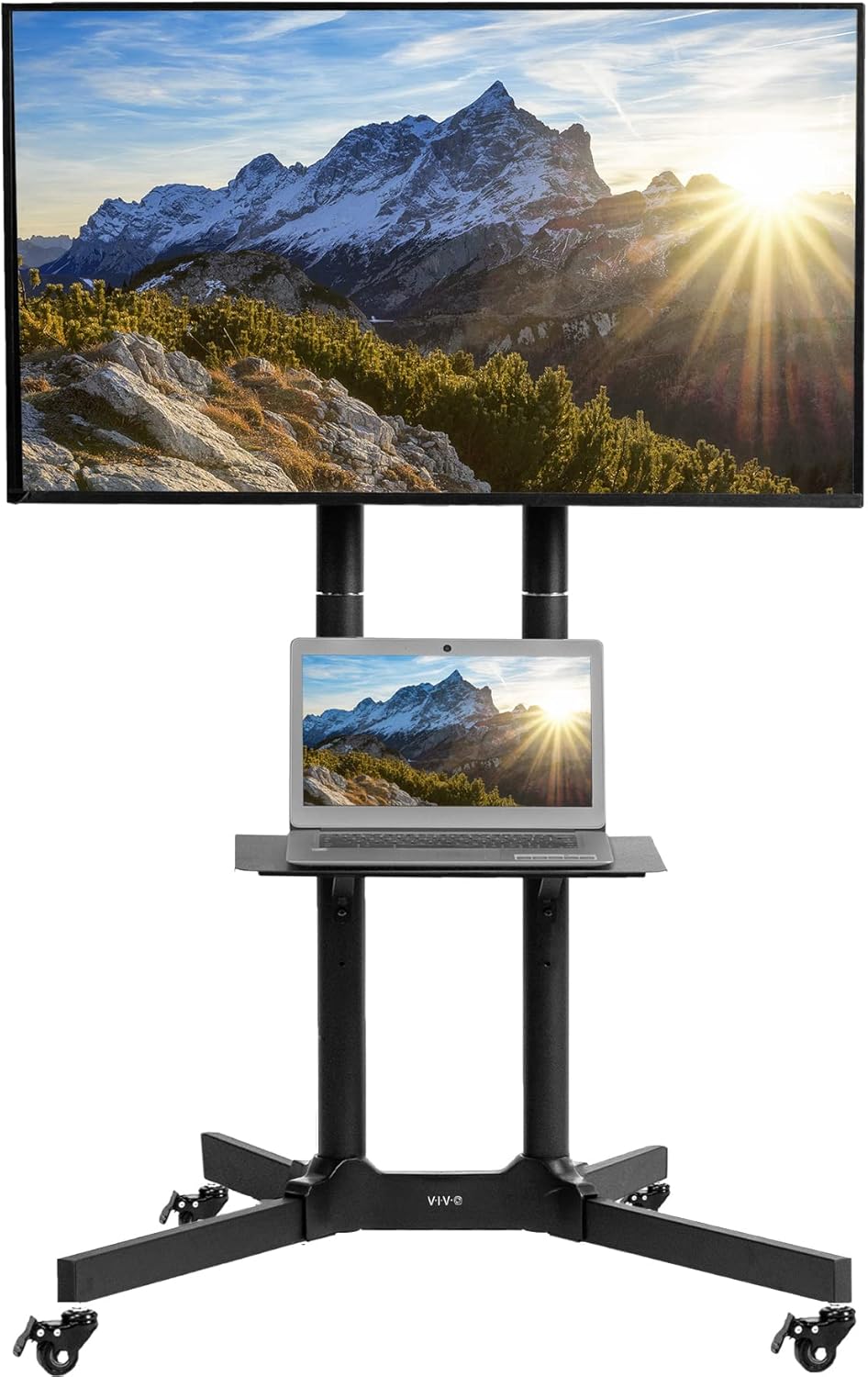
Best forOffices, classrooms, room-to-room moves
Rolls to the patio for events
Shop on Amazon
Best forTVs that move between rooms
Pick wide base, low center of gravity
Shop on AmazonFull entertainment centers provide TV placement plus extensive storage for equipment, media, books, and decorative items. These larger units define a room's focal wall and can include features like built-in lighting, fireplace inserts, and closed storage to hide clutter. Ideal for traditional homes or anyone wanting comprehensive organization. Consider room size - entertainment centers are substantial furniture pieces that need proportional space.

Best forHousing TVs up to 75 inches
Closed storage hides clutter
Shop on Amazon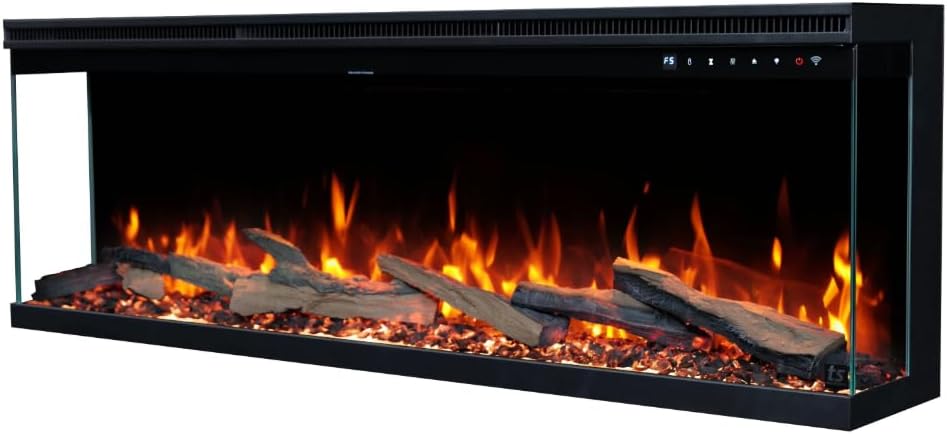
Best forTraditional homes wanting a focal wall
Electric fireplace insert built in
Shop on AmazonWhen walls are off-limits, a mount-style stand brings the TV to eye height without a drill - and stability becomes the spec that matters. Tip-over is a real hazard the CPSC tracks; every stand below has the footprint and anchor points to take a strap, and we treat straps as mandatory with kids in the house.
Quick note: This page contains Amazon affiliate links. We may earn a small commission at no extra cost to you if you buy through them. Our picks are based on what we see working in the rooms where we mount TVs, not on spec sheets alone.
Atlanta installer note: I’m Alex Crabinsky. Across Express Mounting’s 9,747+ installs since 2015, plenty of customers chose a stand over a wall mount for renting, brick walls or layout reasons. Every stand recommendation here has been chosen for real-world stability and cable management, not just looks. Learn more about my background and why furniture-based setups can rival wall mounts when done right.
Stand setups come up most with renters, condo owners and apartment dwellers whose lease, HOA or walls rule out permanent mounting: Midtown high-rises where the building bans wall drilling, luxury rentals where unauthorized wall work costs the deposit, and converted lofts in Castleberry Hill and Old Fourth Ward where exposed brick makes drilling impractical. For these customers a quality TV stand with an integrated mounting post (Sanus VLT6, FITUEYES swivel, WALI floor stand) delivers the wall-mounted look without breaking the lease.
A common request is the new Midtown high-rise tenant who wants the raised, swivel-capable, cable-managed look of a wall mount but cannot drill into the wall - the fix is a console or floor stand with a VESA-compatible mounting post that gives the TV the same off-the-floor profile while sitting on furniture. Another is the converted-loft customer with exposed brick or concrete walls where the masonry surcharge plus drilling risk makes a stand-based setup the better economic choice. A third is the multi-device customer (gaming console, streaming device, soundbar, AV receiver) who needs an entertainment center with adequate ventilation and component organization rather than a minimalist floating shelf.
The hardware we keep on the truck for stand-based installs: Sanus VLT6 stand-mount brackets (the wall-equivalent post that gives a console the swivel and cable-management capability of a wall mount), FITUEYES swivel TV stands and WALI floor stands for renters needing zero-drill solutions, IKEA BESTA frame components and Walker Edison ready-made consoles for design-conscious customers, Tripp Lite home theater surge protectors for inside-cabinet installation, velcro cable ties and convoluted tubing for clean back-of-stand cable management, and felt-base shims for leveling consoles on the uneven hardwood floors common in 1920s-1940s Atlanta bungalows.
A common case: a 65-inch TV in a rental where the lease bans wall drilling. A console sized a few inches wider than the TV, a stand-mounted post bracket for the swivel and the off-the-floor look, cables routed through the back panel into a surge protector inside the cabinet, and the soundbar on HDMI eARC gets you a setup that looks close to a wall mount and keeps the deposit safe.
Express Mounting installation pricing, the same in all 13 metros:
Stand assembly and stand-mounted brackets are quoted when you book. Every install carries a 3-year workmanship warranty. Call (470) 777-4077 for same-day service or book online.
Even with a stand, professional setup matters - cable management, equipment placement, surge protection, and TV-to-stand mounting all benefit from expert hands. Express Mounting handles complete TV setup across metro Atlanta starting at $129 for basic installations and ranging up to $399 for complex multi-device setups.
Call (470) 777-4077 to book your TV setup today.
Your TV stand should be wider than your TV for visual balance and stability - generally 2-6 inches wider on each side. For a 55-inch TV (about 48 inches wide), a 58-60 inch console works well. For a 65-inch TV (about 57 inches wide), look for 65-70 inch stands. Also consider depth - your stand needs to be deep enough for your TV's base (check your TV's stand dimensions) plus any equipment you'll place on or in it. Height matters too - the center of your TV screen should be at seated eye level, typically 42-48 inches from the floor. Standard console heights of 18-24 inches work well for most setups.
Absolutely - TV stands are a perfectly valid alternative to wall mounting, and sometimes the better choice. Stands make sense when: you're renting and can't drill walls, your walls are brick/concrete and difficult to mount on, you want flexibility to rearrange or move the TV, you need storage for equipment, or you simply prefer the look of furniture. Modern stands with integrated mounts give you the raised look of wall mounting without drilling. The main tradeoffs are: stands take up floor space, TV position is less adjustable than articulating wall mounts, and cable management requires more attention since cables run to floor-level equipment.
Cable management with stands requires planning but is very achievable. Use the stand's built-in cable management features - many have back panels with openings or channels for routing cables. Velcro cable ties bundle cables together neatly. Cable boxes or raceways along the back of the stand hide runs between components. For power, use a surge protector mounted to the back of the stand or placed inside a cabinet. Some people run cables through PVC pipe or cable sleeves behind the stand for a completely hidden look. The key is consolidating all cables into organized runs rather than letting them sprawl randomly behind the furniture.
Yes, Express Mounting handles full TV stand and console assembly and setup as part of every install across Metro Atlanta - particularly important for our high-rise Buckhead and Midtown rental customers and luxury Brookhaven and Sandy Springs apartment dwellers where wall mounting is not permitted by the lease or HOA. We assemble the stand from flat-pack (Walker Edison, IKEA BESTA, Whalen) or place pre-assembled consoles in the customer's chosen position, level the unit on uneven floors with felt-base shims, mount the TV to the stand surface or to an integrated stand-mount bracket (FITUEYES swivel stands, WALI floor stands), route all cables through the back panel cable management with velcro ties and conduit, install a surge protector inside the cabinet for the soundbar and streaming devices, and finally test every input and remote function before we leave. Typical assembly-plus-setup time runs 90-120 minutes for a full entertainment center, 45-60 minutes for a simple console. Pricing is the same flat $129-$399 base TV install fee plus $49-$99 for the stand assembly depending on complexity.
Yes. Plenty of rental and apartment customers want the wall-mounted TV aesthetic without violating their lease or HOA. The solution is a TV stand with an integrated wall-equivalent mounting post (Sanus VLT6, FITUEYES swivel stand, or WALI VESA-compatible stand) that gives you the raised, swivel-capable, cable-managed look of a wall mount while sitting on top of a console or floor stand. We install the TV onto the stand-mounted bracket exactly as we would a wall mount - level it, set the swivel range, route the cables through the post, and lock it in place. Stand assembly, the stand-mounted bracket and an anti-tip strap are quoted when you book; the TV install itself is the size rate ($129 up to 54 inches, $159 for 55-69).
Yes, on request, and it is the part most customers underestimate when they buy the stand. A typical scope: arranging the soundbar (typically Sonos Beam, Bose Smart Soundbar 600, Samsung HW-Q990C, or LG SC9S) on the top shelf below the TV with proper venting clearance, placing the streaming device (Apple TV 4K, Roku Ultra) and gaming console (PS5, Xbox Series X) on separate shelves with at least 4 inches of vertical clearance for heat dissipation, routing all HDMI cables to the soundbar's HDMI eARC input first then to the TV via a single cable for clean ARC switching, installing a surge protector inside the cabinet (Tripp Lite TLP1208TELTV or APC SurgeArrest Performance) with all components plugged in and labeled, and bundling the remaining cable slack with velcro ties hidden behind the back panel. The result is a console where the customer can swap a streaming device or game console in 30 seconds without unplugging anything else - which matters when you have a 12-year-old who wants to play Roblox and a partner who wants to watch the Falcons game.
Only strapped. A swivel floor stand carries its weight high, and a climbing toddler is exactly the load case tip-over statistics come from. Pick a stand with anchor points, strap it to wall framing or use the included anti-tip kit, and route cables so there is nothing to pull. Strapped properly, they are a solid renter solution.
We install what we recommend.
Book the mount and we set up what you bought. Flat-rate TV mounting from $129 across 13 US metros.
Can't wall mount? Browse our recommended TV stands and media consoles for every style and budget. Quality furniture solutions with integrated cable management.