
SofaBaton In Stock
SofaBaton X1S Universal Remote Control with Hub, Improved Scroll, Smart Remote All in One with Customize One Touch Activities, Compatible with IR/Bluetooth/WiFi Devices
$179.99 $199.99
−10%
View on Amazon
Field-tested gear
Programmed on real theater setups: which remotes still make sense in 2026, and which era is over.
Nothing ruins a great TV setup like juggling four remotes. The condensed version: the SofaBaton X1S (around $150 to $200) is the Harmony replacement we install most, the SofaBaton U3 covers simple open-shelf setups, and the GE 4-Device Universal handles one TV plus a soundbar with no fuss. We see this constantly - beautiful mounted TV, great sound system, multiple streaming devices, and a coffee table full of remotes that confuse everyone in the household. Universal remotes solve this by consolidating control into one device that handles your TV, soundbar, streaming box, and other components. The best options today offer programmable activities ('Watch TV' turns everything on and sets inputs), voice control integration, and smartphone apps for when the remote inevitably falls between cushions. A quality universal remote transforms a complex system into something anyone can use.
In Atlanta? TV mounting from $129, with remote programming available in the same visit.
Updated
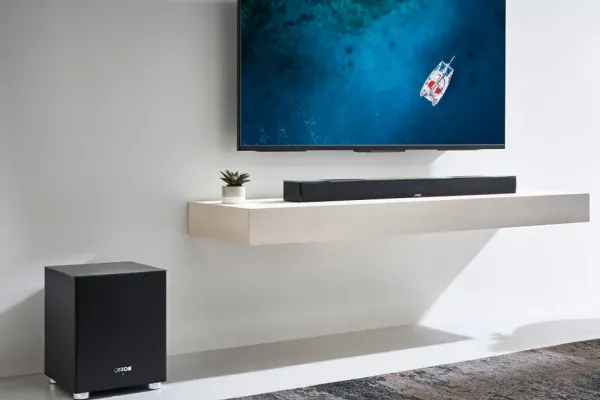
The universals that tame a mounted-TV stack.
As an Amazon Associate, we earn from qualifying purchases. Prices as of Oct 8, 2026, 12:10 PM EDT. Product prices and availability are accurate as of the date/time indicated and are subject to change. Any price and availability information displayed on Amazon.com at the time of purchase will apply to the purchase of this product.


| Remote | Reach | App / voice | Price | Best for |
|---|---|---|---|---|
| SofaBaton X1S | RF to hub, IR out (closed cabinets) | App + Alexa/Google | ~$150-200 | The Harmony replacement we install most. |
| SofaBaton U3 | IR | App setup | ~$110 | One-touch macros for open-shelf gear. |
| BroadLink RM4 Pro | Wi-Fi hub, IR + 433MHz RF | App + Alexa/Google | ~$50 | Smart-home tinkerers on Home Assistant. |
The pick cards above show Amazon's current price when one is available. Full market map, including budget IR clickers, in the table further down.
Smart universal remotes go beyond basic device control - they offer activity-based programming, smartphone apps, voice assistant integration, and control of hundreds of devices. These are the successors to the beloved Logitech Harmony remotes (now discontinued). Modern options from SofaBaton and others fill this gap with similar functionality. Worth the investment for complex home theaters or households where multiple people need simple control over complicated systems.

Best forGear behind closed cabinet doors
Hub remote, Alexa and Google voice
Shop on Amazon Best forGear that sits in the open
One-touch macros, app setup
Shop on Amazon
Best forOwners with a working unit
Discontinued in 2021; depends on Logitech's app
Shop on Amazon
Best forHome Assistant and SmartThings homes
Wi-Fi hub with IR and RF output
Shop on AmazonNot everyone needs complex programming - sometimes you just want one remote that controls your TV and soundbar without apps or hubs. Simple universal remotes use built-in code databases to control common devices. Setup typically involves entering codes or using auto-search functions. These work great for straightforward setups: TV + soundbar, or TV + cable box. They're affordable, use standard batteries, and don't require internet connectivity or smartphone apps.

Best forOne TV plus a soundbar
Code-based setup, no apps or internet
Shop on Amazon
Best forTV and cable box pairs
Runs on standard batteries
Shop on Amazon
Best forStraightforward setups without hubs
Check code compatibility before buying
Shop on AmazonVoice control is increasingly becoming the ultimate universal remote. If you have Alexa, Google Assistant, or Siri devices, you may already have powerful entertainment control at your fingertips. Many TVs, soundbars, and streaming devices support voice assistants directly, and hubs like Amazon Echo can control IR devices with compatible accessories.
Voice Control Options:
| Assistant | Native Device Control | IR Control Option | Best Features |
|---|---|---|---|
| Alexa | Fire TV, many smart TVs | Echo + Broadlink or SofaBaton | "Alexa, watch Netflix on living room TV" |
| Chromecast, Google TV | Google Home + Broadlink | "Hey Google, turn on the TV" | |
| Siri | Apple TV, HomeKit devices | HomeKit-enabled hubs | "Hey Siri, play something on Apple TV" |
Voice Control Accessories:
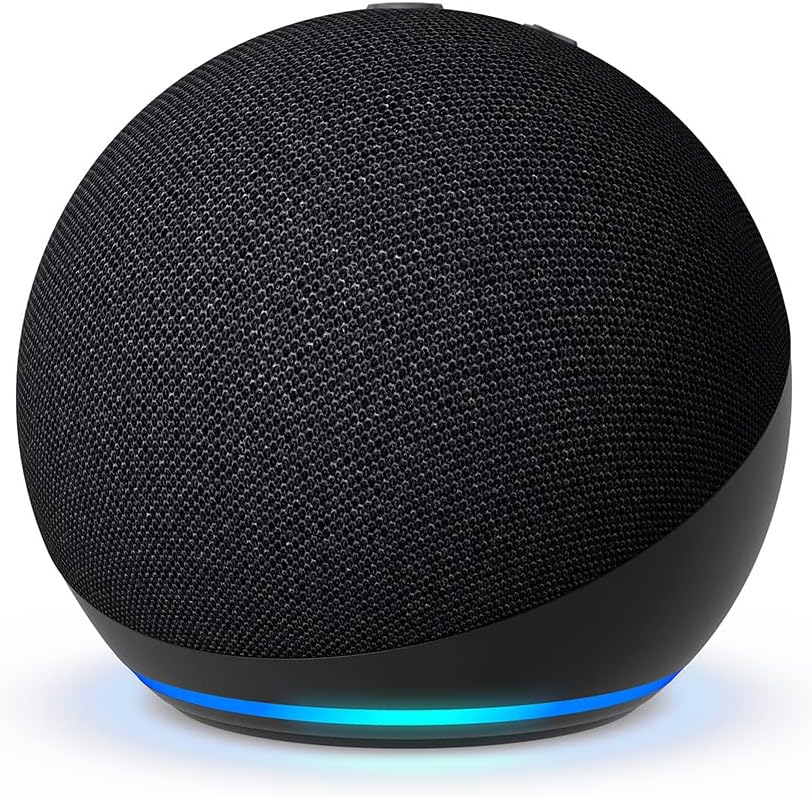
Best forAlexa control of Fire TV
Add Broadlink or SofaBaton for IR gear
Shop on Amazon
Best forChromecast and Google TV homes
Pairs with Broadlink for IR control
Shop on Amazon
Best forApple TV and HomeKit households
IR control needs a HomeKit-enabled hub
Shop on AmazonFour remotes on the coffee table is a solvable problem: modern universals from SofaBaton and Logitech consolidate IR, Bluetooth, and Wi-Fi control with activity macros - one button runs TV, soundbar, and source. We program them as part of theater setups; the picks below cover $50 starters to hub systems.
Quick note: This page contains Amazon affiliate links. We may earn a small commission at no extra cost to you if you buy through them. Our picks are based on what we see working in the rooms where we mount TVs, not on spec sheets alone.
Atlanta installer note: I’m Alex Crabinsky. Across Express Mounting’s 9,747+ installs since 2015, we’ve seen plenty of families juggling four remotes. The remotes recommended here are ones we program in real customer setups, not just unbox for review videos. Learn more about my background and why simplifying control is the most underrated upgrade in any home theater.
We program these on real theater setups, so here is the honest lay of the land for 2026. The Harmony era is over; Logitech stopped making the remotes in 2021. What matters now is whether a remote can reach gear behind cabinet doors (that needs RF or a hub, not line-of-sight IR) and whether one button can run a full activity.
| Remote | Controls | RF or IR | App/voice | Price band | Best for |
|---|---|---|---|---|---|
| SofaBaton X1S | Many devices via hub | RF to hub, IR out (reaches closed cabinets) | App + Alexa/Google | ~$150-200 | The Harmony replacement we install most; macros for TV, soundbar, and streamer |
| SofaBaton U3 | Many IR devices | IR line-of-sight | App setup | ~$110-130 | Simple living rooms where the gear sits in the open; one-touch macros |
| Logitech Harmony (discontinued) | Up to 15 on Elite and Hub | IR, or RF with the Hub | App (line discontinued) | Leftover or used stock | Owners with a working unit; buy with caution, since Logitech no longer makes them |
| BroadLink (RM4 Pro) | Many IR and RF devices by phone | Wi-Fi hub, IR and 433MHz RF out | App + Alexa/Google | ~$40-50 | Smart-home tinkerers on Home Assistant or SmartThings |
| Sevenhugs / next-gen | Point-anywhere touchscreen | RF positioning plus IR | Touchscreen app | Scarce, used | Gadget fans; hard to buy new now, so treat it as a curiosity |
| GE / Philips basic | 3 to 8 devices | IR only | None | ~$10-20 | One TV plus a soundbar, no apps, no fuss |
Sometimes no. If your gear is a smart TV plus a soundbar, HDMI-CEC lets the TV remote run both, and turning CEC on costs nothing. You need a universal remote once you add a cable box, an AV receiver, or a streamer the TV remote cannot reach. That is where the SofaBaton X1S earns its price on our installs, since one button can run the whole chain.
IR is line-of-sight; the remote has to see the device, so gear behind a closed cabinet door will not respond. RF fixes that, or a hub that takes an RF signal and blasts IR from inside the cabinet. The SofaBaton X1S and the old Harmony Hub both use this trick. A basic GE or Philips clicker is IR only, so keep those doors open.
For a full theater with an AV receiver, a 4K projector or TV, a streamer, and a cable box, we install the SofaBaton X1S with its hub. It runs activity macros: one button sets the receiver input, powers the projector, and drops the lights if you have a smart switch. For high-end Crestron or RTI rooms, the programming is a job for a certified dealer.
This is the common request, and it does not need a hub. A SofaBaton U3 handles TV power and soundbar volume from one clicker as long as the gear sits in the open, and HDMI-CEC covers the streamer. We disable the TV speakers so volume routes to the soundbar. Want voice and app control too? Step up to the SofaBaton X1S.
Remote consolidation is the most underrated line item on a TV install. A typical modern setup has a TV remote, a soundbar or AV receiver remote, a cable or satellite box remote, a streaming remote and often a game controller doing double duty: five things on the coffee table for one “watch TV” gesture. The first fix costs nothing. Turn on HDMI-CEC and the TV remote powers the soundbar and the streamer. A universal remote earns its price once a cable box, an AV receiver or gear behind a cabinet door enters the picture.
Logitech stopped making Harmony remotes in April 2021, and plenty of homes still have a Harmony Hub, Elite or Companion on the coffee table. New units are no longer made, and an existing one keeps working only as long as Logitech keeps its Harmony app and setup service running, so we don’t recommend buying one now. If yours works, leave it alone. When it stops being easy to change, move to a SofaBaton X1S.
What we reach for: the SofaBaton X1S with its hub for theaters and closed cabinets, the SofaBaton U3 for simpler rooms where the gear sits in the open, the BroadLink RM4 Pro for Home Assistant or SmartThings homes that want phone control instead of a handheld, and a basic GE or Philips clicker for one TV plus a soundbar. In Crestron, RTI or Control4 rooms, the control-system programming belongs to a certified dealer; we handle the mounting and the IR emitter placement.
A common case: a Harmony activity that used to wake the TV, the soundbar and the Apple TV stops working after the TV is replaced. Rebuilding it on an X1S means re-adding each device, setting activities such as Watch TV, Watch Apple TV and All Off, and turning on HDMI-CEC so the TV’s power command also wakes the soundbar.
Universal remotes control almost any IR device: TVs, soundbars, AV receivers, cable and satellite boxes, and older Blu-ray players. Streaming boxes are the catch. Roku, Fire TV, and Apple TV use Bluetooth or Wi-Fi, not IR, so a basic clicker cannot drive them directly. The fix is HDMI-CEC (the TV remote controls the streamer over the HDMI cable) or a hub remote like the SofaBaton X1S that speaks Bluetooth. Before you buy, check that your exact TV, receiver, and soundbar are in the remote’s database; SofaBaton and BroadLink both list supported brands in their apps.
What replaced the Logitech Harmony? SofaBaton is the closest thing. The X1S matches the old Harmony Elite’s hub-and-activity model (one button, gear behind cabinet doors, Alexa and Google voice) without depending on Logitech. If you still have a working Harmony, keep using it. For new buyers, we install the X1S.
Can a universal remote control my Roku or Fire Stick? Not with a basic IR remote, because those streamers use Bluetooth or Wi-Fi. Two fixes work: turn on HDMI-CEC so the TV remote runs the streamer over the HDMI cable, or use a hub remote like the SofaBaton X1S that pairs over Bluetooth. On installs we set CEC first, since it is free and covers most households.
RF or IR, which should I buy? If your gear sits in the open, IR is fine and cheaper. If any component lives behind a closed cabinet door, you need RF or a hub remote (SofaBaton X1S, BroadLink) that puts an IR blaster inside the cabinet. We ask where the equipment lives before recommending a remote, because that one detail decides it.
Will one remote handle my AV receiver and soundbar? Yes. A hub remote programs an activity that powers the receiver or soundbar, sets the right input, and disables the TV speakers so volume goes to the real audio. We set this on the SofaBaton X1S during theater installs. Most rooms have a receiver or a soundbar, not both, which keeps it simple.
Do you program the remote when you mount the TV? We turn on HDMI-CEC on every install so the TV remote runs the soundbar and streamer where the gear supports it, and we test power, input and volume at your seat before we leave. Programming a universal remote, such as a SofaBaton X1S with its hub, is quoted when you book. Pair it with a clean streaming device setup and the coffee table finally holds one remote.
Express Mounting installation pricing, the same in all 13 metros:
- Basic TV mount: $129 (up to 54”), $159 (55-69”), $209 (70-79”), $299 (80-99”), $399 (100”+)
- Bracket: bring your own, or add ours (flat $49 / $69, full-motion $59 / $79)
- Cable concealment: $99 per TV
- Brick / stone surcharge: +$99
Basic hookup, including HDMI-CEC so the TV remote runs your soundbar and streamer, is part of any TV mounting visit; universal remote programming is quoted when you book. Every install carries a 3-year workmanship warranty. Call (470) 777-4077 for same-day service or book online.
Universal remotes are only as good as their setup. Express Mounting handles the TV installation, HDMI-CEC setup and remote programming in all 13 metros we serve. Mounting is $129 up to 54”, $159 for 55-69”, $209 for 70-79”, $299 for 80-99”, and $399 for 100” and up; remote programming is quoted when you book.
Call (470) 777-4077 to book your installation today.
Logitech discontinued the Harmony line in 2021. Existing remotes keep working as long as Logitech keeps its Harmony app and setup service running, so if you have a working Harmony, keep using it. For new purchases, SofaBaton is the closest successor, offering similar activity-based programming, hub options for controlling devices in cabinets, and smartphone app setup. The SofaBaton X1S is essentially the new Harmony equivalent with modern features. Broadlink RM4 Pro is another option that integrates well with smart home systems. The universal remote market has evolved, with many households now relying on voice assistants or streaming device remotes that control TVs via HDMI-CEC.
Usually yes, with the right remote. Smart universal remotes like SofaBaton X1S can control IR devices (most TVs, soundbars, cable boxes), Bluetooth devices, and WiFi devices through their hubs. The key limitation is line-of-sight for IR - devices in closed cabinets need IR blasters or hubs with IR output. Most streaming devices can be controlled via the TV's HDMI-CEC, so you might only need to program the TV remote to also control your Fire Stick or Roku. For truly complete control, hub-based systems with multiple IR blasters provide the most flexibility.
Most streaming devices (Roku, Fire TV, Apple TV) use Bluetooth or WiFi for remote control, not IR. Basic universal remotes only transmit IR signals, so they can't directly control these devices. Solutions include: using the streaming device's original remote alongside your universal remote, choosing a smart universal remote that supports Bluetooth (limited options), or using HDMI-CEC so your TV remote controls the streaming device. HDMI-CEC is often the simplest solution - enable it in both your TV and streaming device settings, and TV volume/power buttons should work with the streaming device.
HDMI-CEC (Consumer Electronics Control) lets devices connected via HDMI communicate and control each other. When enabled, your TV remote can control your streaming device, your soundbar can turn on when the TV does, and your streaming device can switch TV inputs automatically. Different brands use different names: Samsung calls it Anynet+, LG calls it SimpLink, Sony calls it Bravia Sync. Enable CEC in your TV settings and connected device settings to reduce remote clutter significantly. Many households find CEC eliminates the need for a universal remote entirely - the TV remote controls everything through CEC passthrough.
We program what we recommend.
Book the mount and we set up HDMI-CEC so the TV remote runs the soundbar and streamer; full universal remote programming is quoted when you book.
Simplify your home theater with one remote that controls everything. Browse our recommended universal remotes for any setup complexity.